
Answer every Google review, automatically
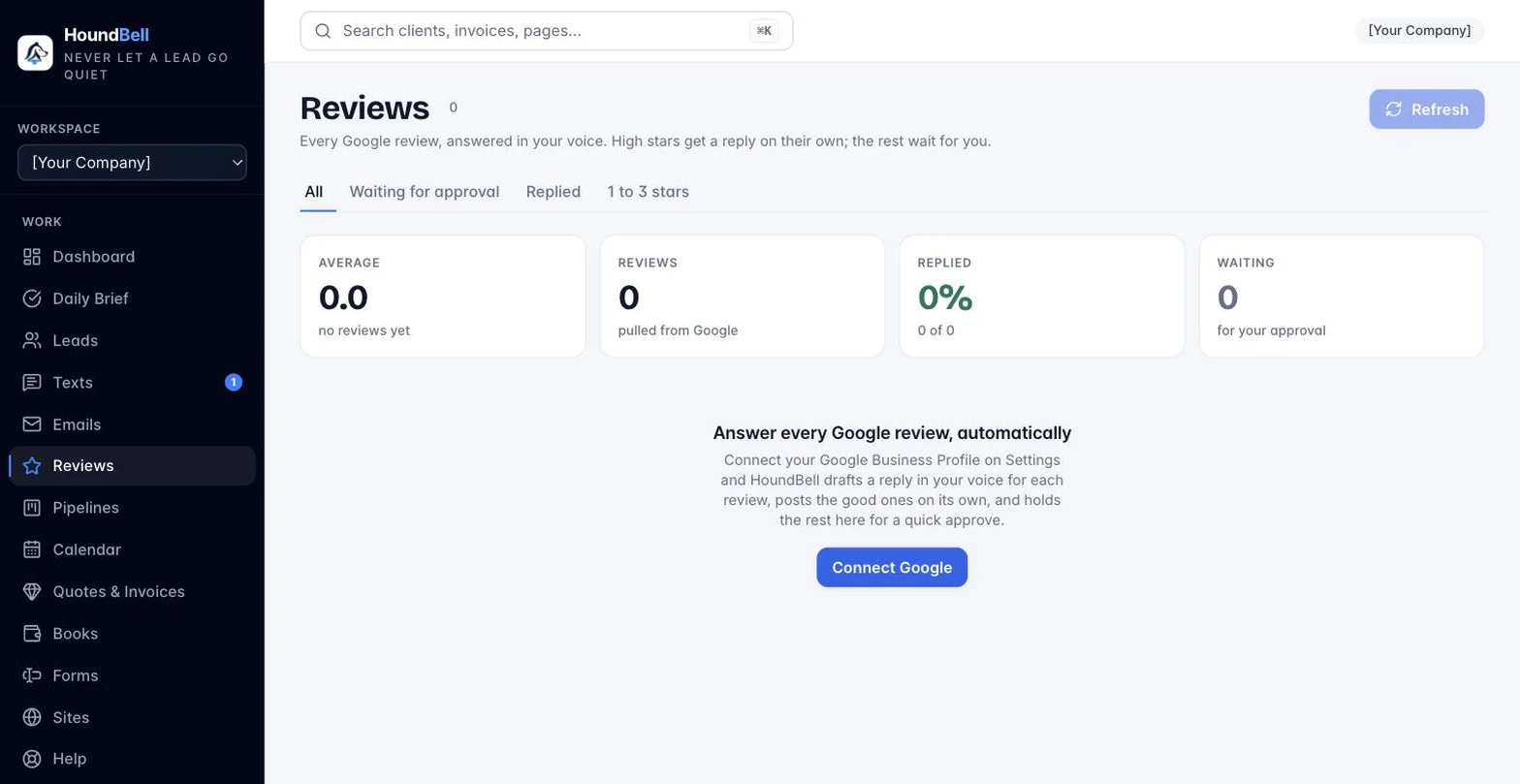
Reviews you never answer cost you the next customer. HoundBell connects to your Google Business Profile, pulls every review, and writes a reply in your voice. Four and five star reviews get answered on their own (you choose the bar). One to three star reviews wait for you with a suggested reply already written, so answering takes one tap instead of twenty minutes of staring at the screen.
This is a Growth and Scale feature. On Starter, the Google reviews card shows a See plans link instead of a Connect button.
Connect it: see Connect Google Business Profile. Once connected, HoundBell pulls your reviews right away.
Set your voice: on the same card, choose Reply on its own for (Off, 5 stars only, 4 stars and up, 3 stars and up), write a line or two under How you sound (“Friendly, first names, mention we are family run“), and set your Sign-off (“Mike and the Sunrise team“). Save. Every reply from then on follows those notes.
What a reply looks like: two to four sentences, the reviewer thanked by first name, one specific thing they mentioned, your sign-off. For one to three stars the reply apologizes once, invites a direct conversation, and gives your business phone. It never argues and never makes excuses.
Where reviews live: the Reviews page in the sidebar (under Emails). The strip at the top shows your average, how many reviews you have, the share that has a reply, and how many are waiting on you. Filter by Waiting for approval, Replied, or 1 to 3 stars. Each review shows the stars, the name, the date, what they wrote, and either the reply that went out (marked “Replied automatically“, “You replied“, or “Replied on Google“) or the suggested reply. Tap Edit to change the wording, Approve and post to send it to Google, or Skip to leave it unanswered. When the reviewer is one of your clients, an Open client card link sits right under their review.
Your Daily Brief: when a review is waiting, the Brief shows a “Google reviews are waiting for your reply“ line at the top that opens the Reviews page filtered to what needs you.
How often it checks: once a day on its own, and any time you tap Refresh on the Reviews page or Refresh now on the Settings card. Reviews answered directly in Google show up here as “Replied on Google“ and are left alone.
The monthly allowance: drafted replies share the 200-a-month AI allowance with voice quotes. A busy business uses a handful a month.
Turn it off: Settings → Google reviews → Disconnect. HoundBell stops pulling and posting immediately and forgets its Google access; the reviews already on your Reviews page stay for reference. Replies already posted stay on Google, exactly as if you had typed them there.
Still stuck?
Email us and a person will answer. Include your workspace name, and the quote or invoice number if it is about one.
Email support@houndbell.com