
The Leads page
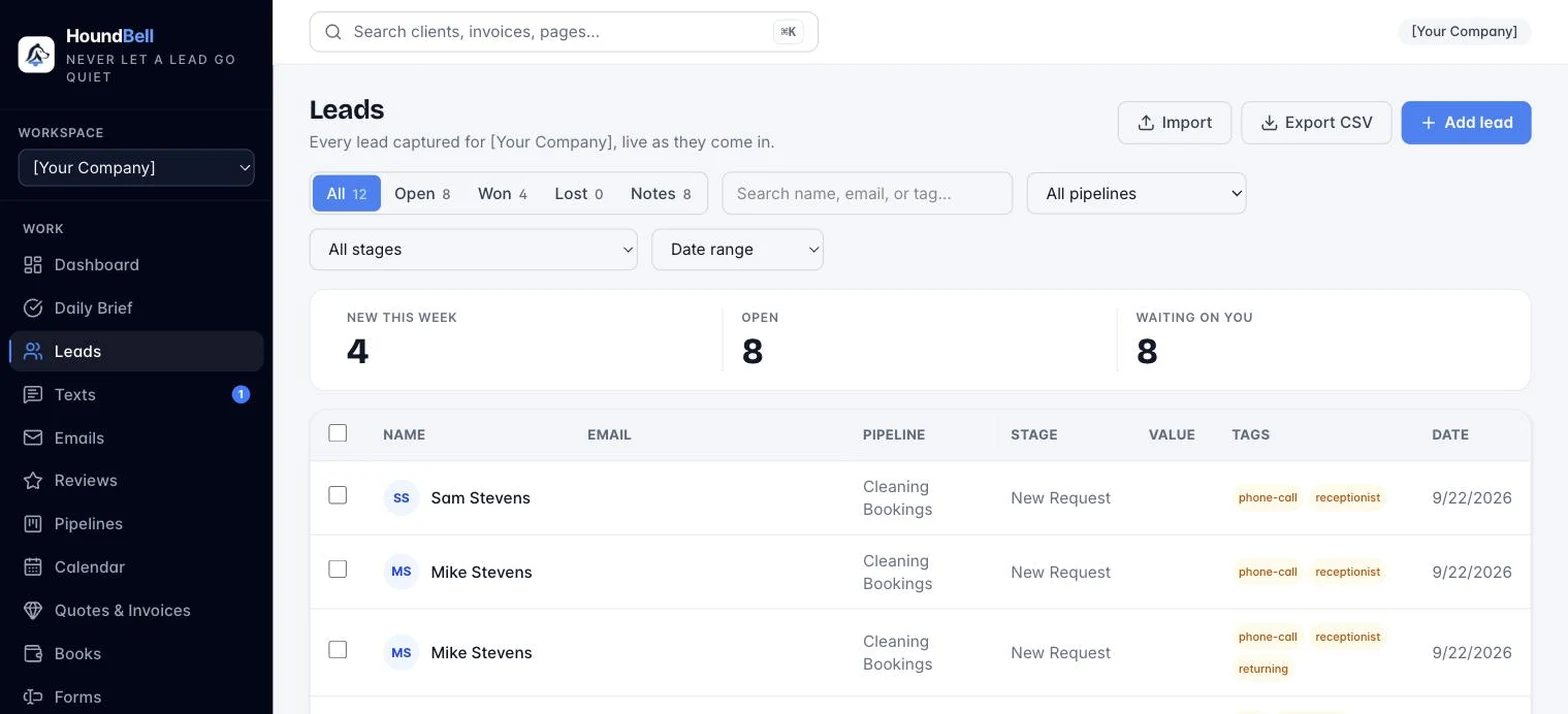
Leads shows every lead in the workspace, newest first, live as they come in. You do not need to refresh; new submissions appear on their own.
Finding leads:
- Status chips: All, Open, Customers, Lost, and Notes, each with a live count. Customers shows won deals and anyone you marked a customer; a Contacts chip appears when a mailing list exists (contacts with no deal on the board). The Notes chip opens a running view of every note across every client, searchable and exportable. A lead’s status comes from the outcome of the stage it sits in.
- Search: matches name, email, or tag.
- All pipelines and All stages dropdowns narrow to one pipeline or stage.
- Date range: same window options as the Dashboard (last 7 to 90 days, This quarter, Year to date, Last 12 months, All time, Custom range). It filters by the date each lead arrived.
Everything combines: chips, search, dropdowns, and dates stack together, and the counts, the table, and CSV exports all follow the filtered view. The list is paginated; change the per-page count (10, 25, 50, 100) at the bottom left.
Move to: select leads and the selection bar offers Move to: any stage of any pipeline, Customer, Contact (mailing list only), or Lost. A contact moved onto a stage becomes a lead; a customer stays a customer.

Buttons in the top right:
- ⬆ Import: bring in leads from a spreadsheet (see Import leads from a spreadsheet).
- ⬇ Export CSV: download the current filtered view as a spreadsheet file that opens in Excel, Numbers, or Google Sheets. Every answer your forms ever captured gets its own column.
- + Add lead: add a lead by hand, for phone calls and walk-ins.
- Checkboxes on each row select leads for bulk actions, and duplicate protection pauses with a warning if a new lead’s name, email, or phone number already exists, so one customer never splits across two records.
Still stuck?
Email us and a person will answer. Include your workspace name, and the quote or invoice number if it is about one.
Email support@houndbell.com