
Automatic review requests
HoundBell can put your Google review link to work at the exact moments a client is happiest.
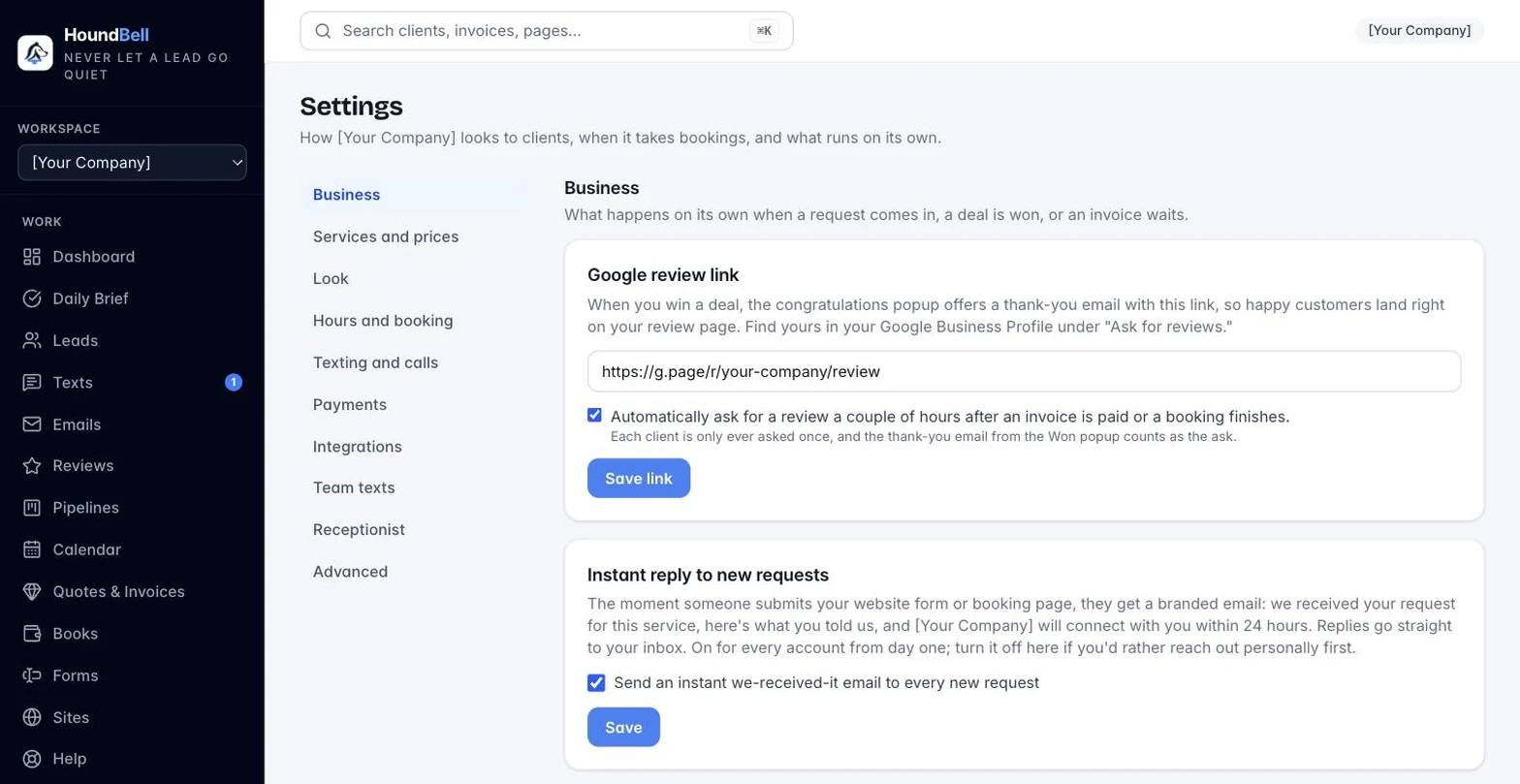
- Open Settings and paste your Google review link (find yours in your Google Business Profile under Ask for reviews), then press Save link.
- From then on, dropping a deal on Won offers a prewritten thank-you email with a Leave Us a Review button, ready to send or edit on the spot.
- Optionally tick Automatically ask for a review. A polite request then goes out a couple of hours after an invoice is paid or a booking finishes.
Each client is asked at most once a year, and the thank-you email from the Won popup counts as the ask, so nobody gets nagged twice. A repeat customer earns a fresh ask a year after the last one.
Still stuck?
Email us and a person will answer. Include your workspace name, and the quote or invoice number if it is about one.
Email support@houndbell.com