
Campaigns: email your own customers
Where: Campaigns in the sidebar, under Texts. Part of the Scale plan; on during your trial.
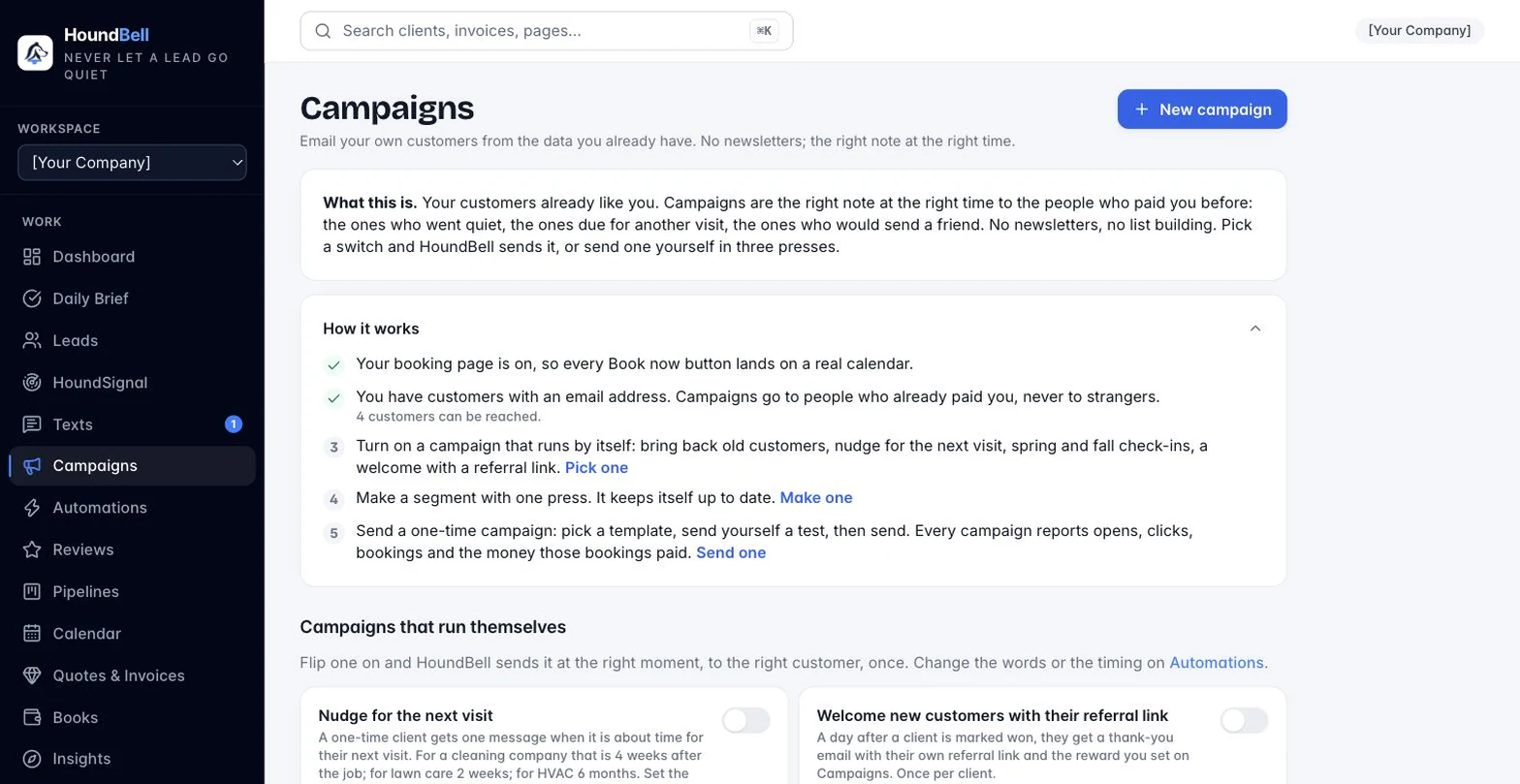
Campaigns are not newsletters. HoundBell already knows who your customers are, what they booked, when, and what they paid, so a campaign is the right note to the right people: “it has been six months since your last cleaning”, “fall appointments are open”, “we haven’t seen you in a while, book this week and save $25”.
Segments are groups of your customers, picked by a rule. Each one stays live: as bookings and invoices change, the group updates itself. On the Campaigns page, every segment you can make is a card with a name, one plain line about who is in it, a live “N people” count, and a Make it button. Press the button and the segment is made. The ready-made cards are: haven’t booked in 90 days, last service 6 months ago, spent over $1,000, quoted but never booked, and owe an invoice. A card leaves the list once you make it.
Under From your services, HoundBell builds more cards from your own price book. For each of your most-booked services (up to four) there is “Had
Press Edit on any segment to change its rule: customers only, no booking in N days, last service about N months ago, spent at least an amount, bought one service but not another, ZIP codes. Custom segment starts one from scratch. Press “Count people” in the editor to see who matches. Only people with an email who have not unsubscribed are ever included.
A campaign picks a template, a segment, a subject, an offer line and a message. You can use {{first_name}}, {{business}}, {{offer}} and {{booking_link}}. Every email carries your logo and color, a Book now button to your booking page, and an unsubscribe link. Send yourself a test first, then send. The campaign then reports sent, opened, clicked, booked, and the revenue those bookings paid in the 30 days after the send.
Customer reactivation sits at the top of the page: the number of past customers with no booking in 90 days and one button, Bring them back, which sets up the segment and the campaign for you.
Texting campaigns are not part of this yet; campaigns go by email.
Still stuck?
Email us and a person will answer. Include your workspace name, and the quote or invoice number if it is about one.
Email support@houndbell.com