
Set pay rates for your team
Every full user and field crew member on the Team page has a pay line under their name, such as “$28/hr,“ “$150/job,“ “$52,000/yr salary,“ or “No rate yet.“ Click it to set or change their pay. You get the same control on your own row, so you can set your own rate too.
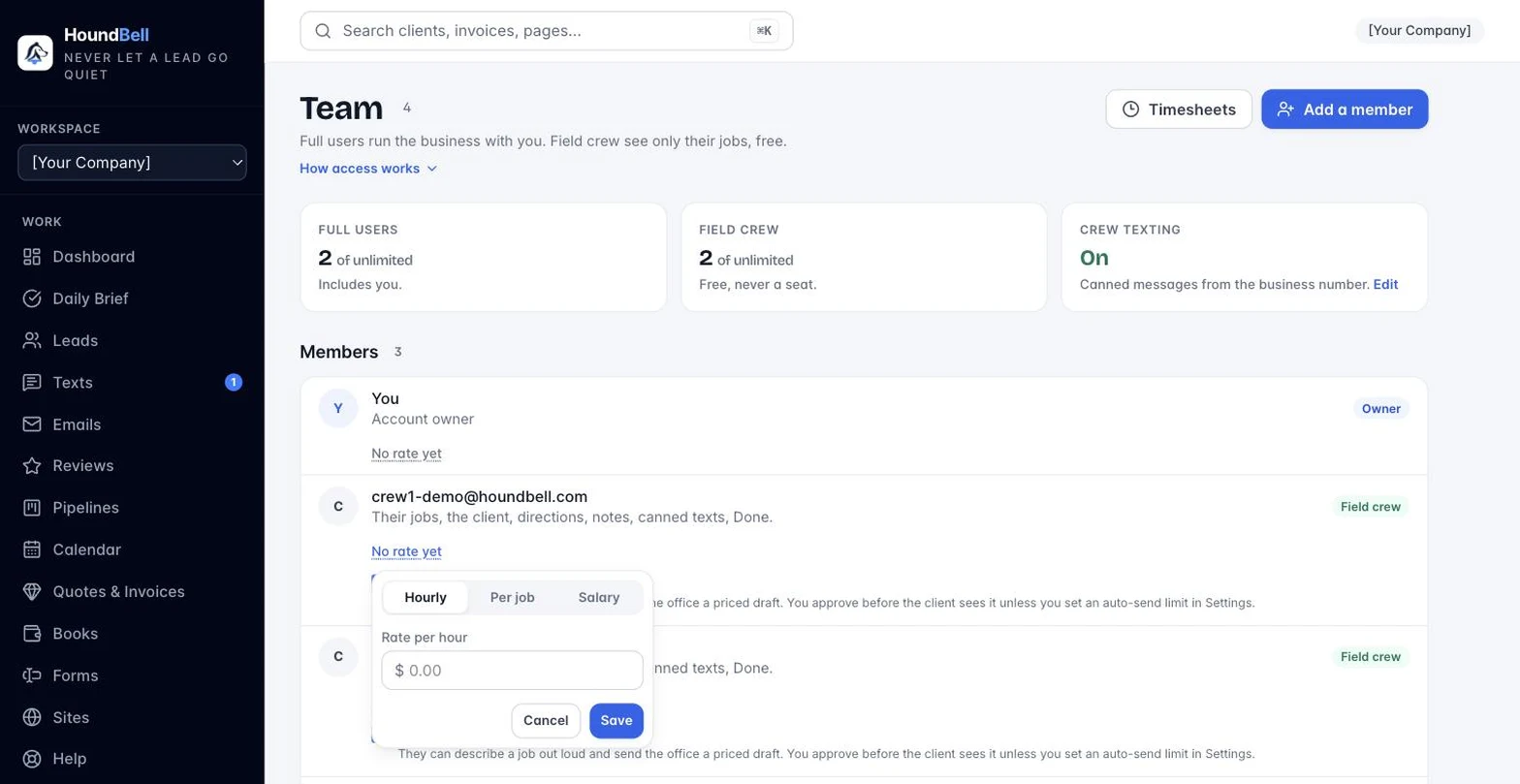
There are three pay types:
- Hourly, with a dollar rate per hour.
- Per job, for people paid a flat amount per job rather than by the hour. Enter their usual rate per job.
- Salary, for people on a fixed salary. Enter the salary per year.
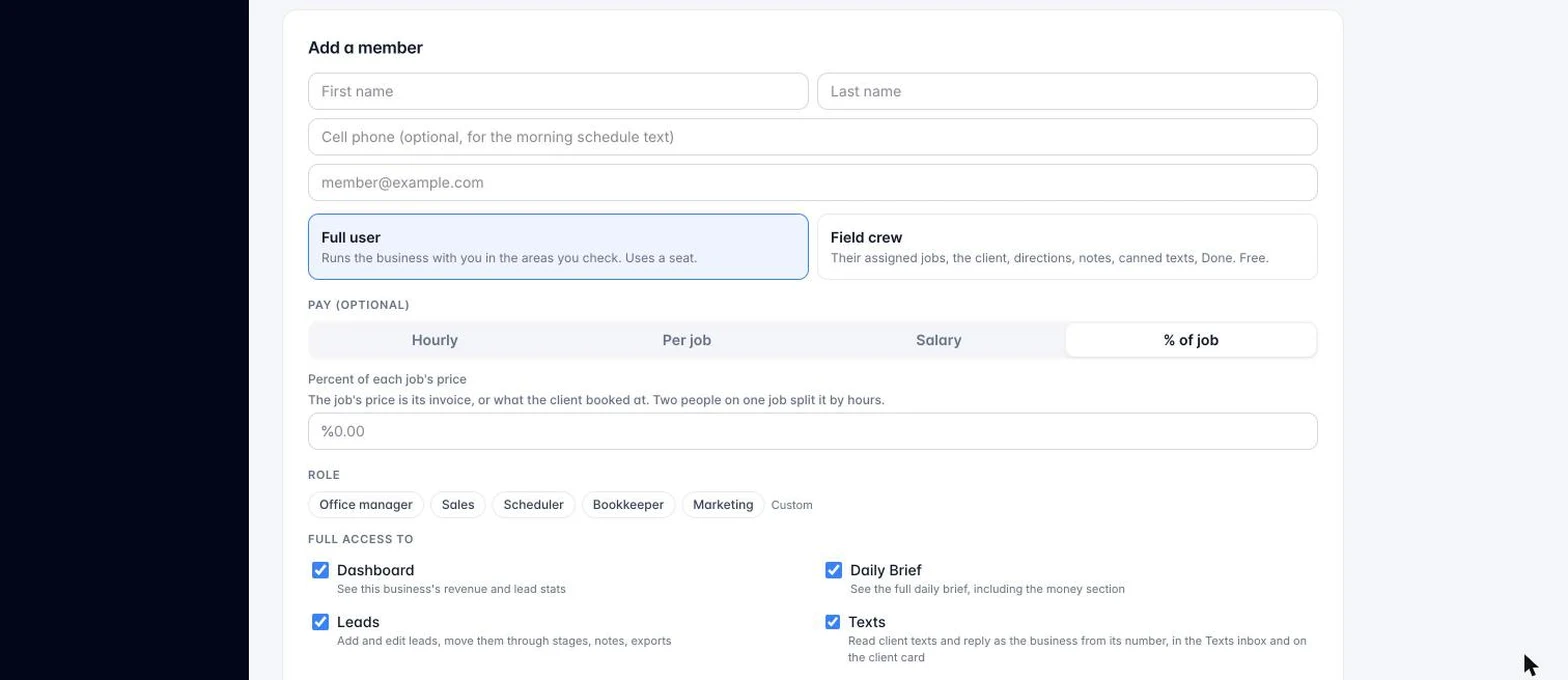
Set a pay type and the amount that goes with it. This is also where you can set a rate for someone when you first add them: an optional Pay row sits right on the add-member form, under Full user or Field crew.
Pay rates feed three things:
- The pay estimate shown on each person’s row on the Timesheets page (Team, then Timesheets). Hourly people: clocked hours at their rate, with time and a half for overtime. Salaried people: their yearly amount spread across your pay periods (52, 26, or 12), the same every period. Per-job people show “per job“ here, since their pay comes from the jobs themselves.
- Your payroll export from Timesheets, so the numbers you hand to your payroll provider already carry each person’s rate.
- Labor cost on the Books page, for anyone whose hourly time is linked there.
HoundBell never moves money on its own. Setting a rate only feeds these estimates and exports; you still run payroll and pay people yourself, the way you already do.
Still stuck?
Email us and a person will answer. Include your workspace name, and the quote or invoice number if it is about one.
Email support@houndbell.com