
Install HoundBell on your phone
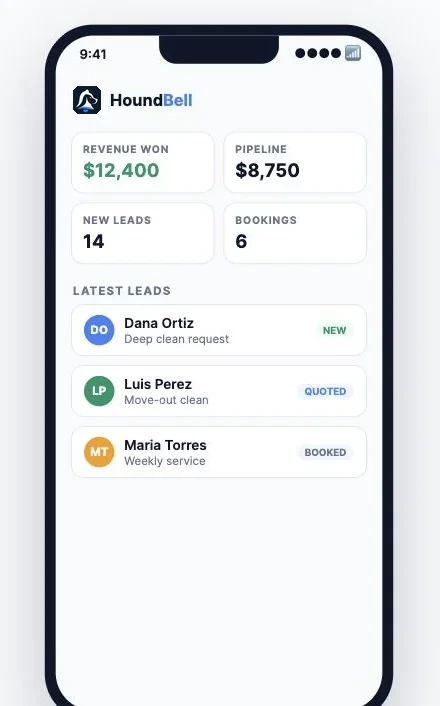
HoundBell works as an app on your phone, with your leads one tap from your home screen. There is nothing to download from an app store and nothing to update. The icon opens the same HoundBell you use everywhere, always current, full screen, with no browser bars in the way.
On iPhone or iPad
- Open Safari and go to app.houndbell.com. This has to be Safari; if you normally use Chrome on your iPhone, open Safari just for this one step.
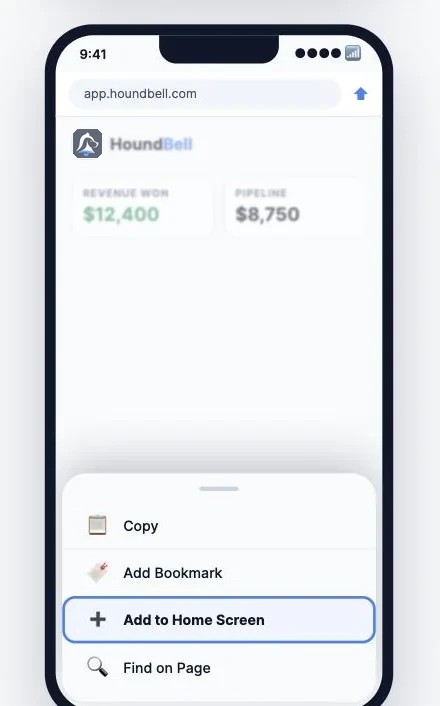
- Tap the Share button, the square with an arrow pointing up at the bottom of the screen.
- Scroll down the menu and tap Add to Home Screen.
- You will see the HoundBell icon and the name HoundBell. Tap Add in the top right.
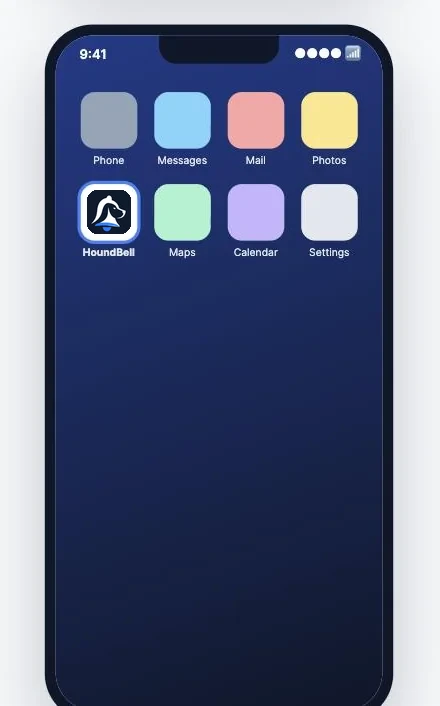
The icon appears on your home screen. Tap it anytime and HoundBell opens full screen, straight to your dashboard.
On Android
- Open Chrome and go to app.houndbell.com.
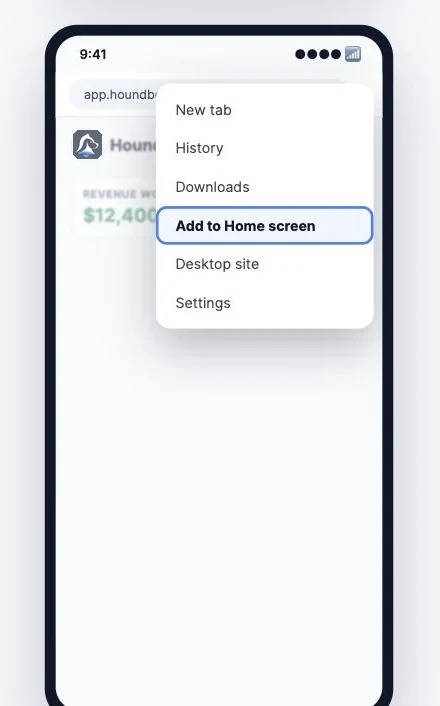
- Tap the three dot menu in the top right.
- Tap Add to Home screen. On many phones this says Install app.
- Confirm, and the HoundBell icon lands on your home screen.
Some Android phones offer to install HoundBell on their own, with a small banner at the bottom of the screen. Tapping that banner does the same thing.
Made to be used on a phone
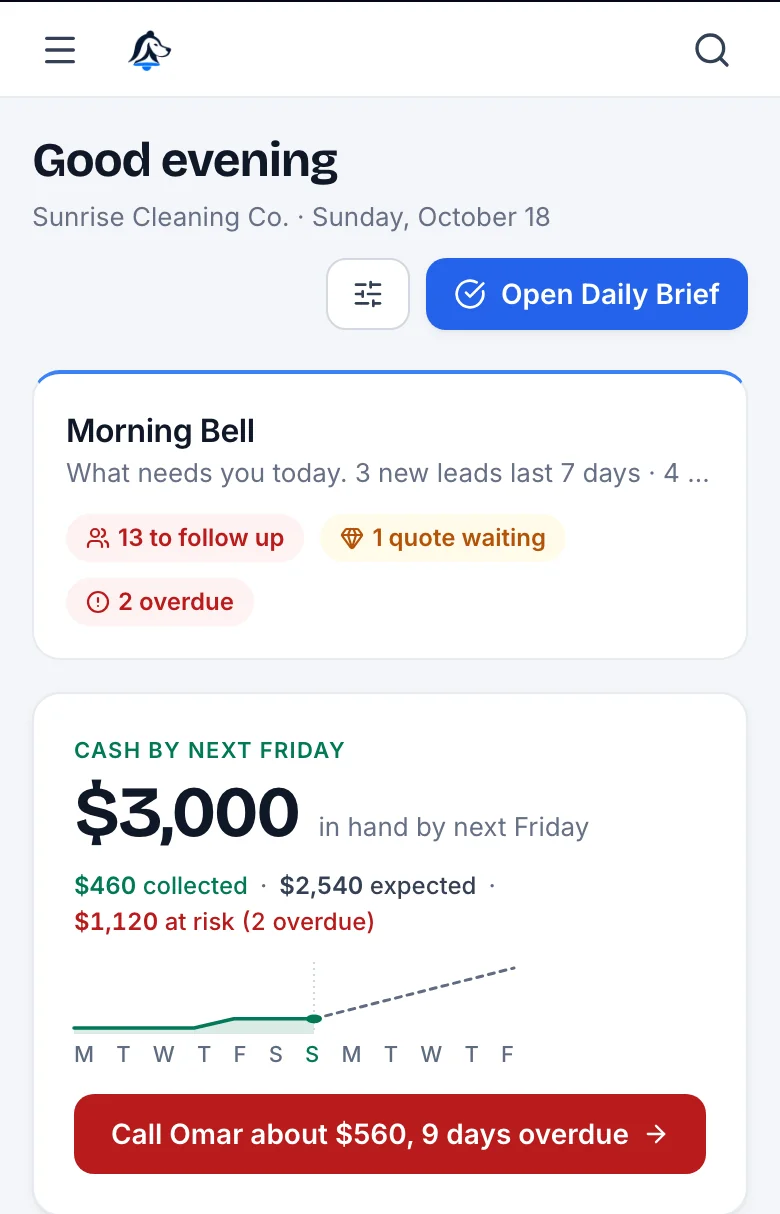
The installed app is not a shrunken website. The dashboard reads top to bottom like a morning briefing: the Morning Bell, the cash expected by Friday, and the one call worth making first.
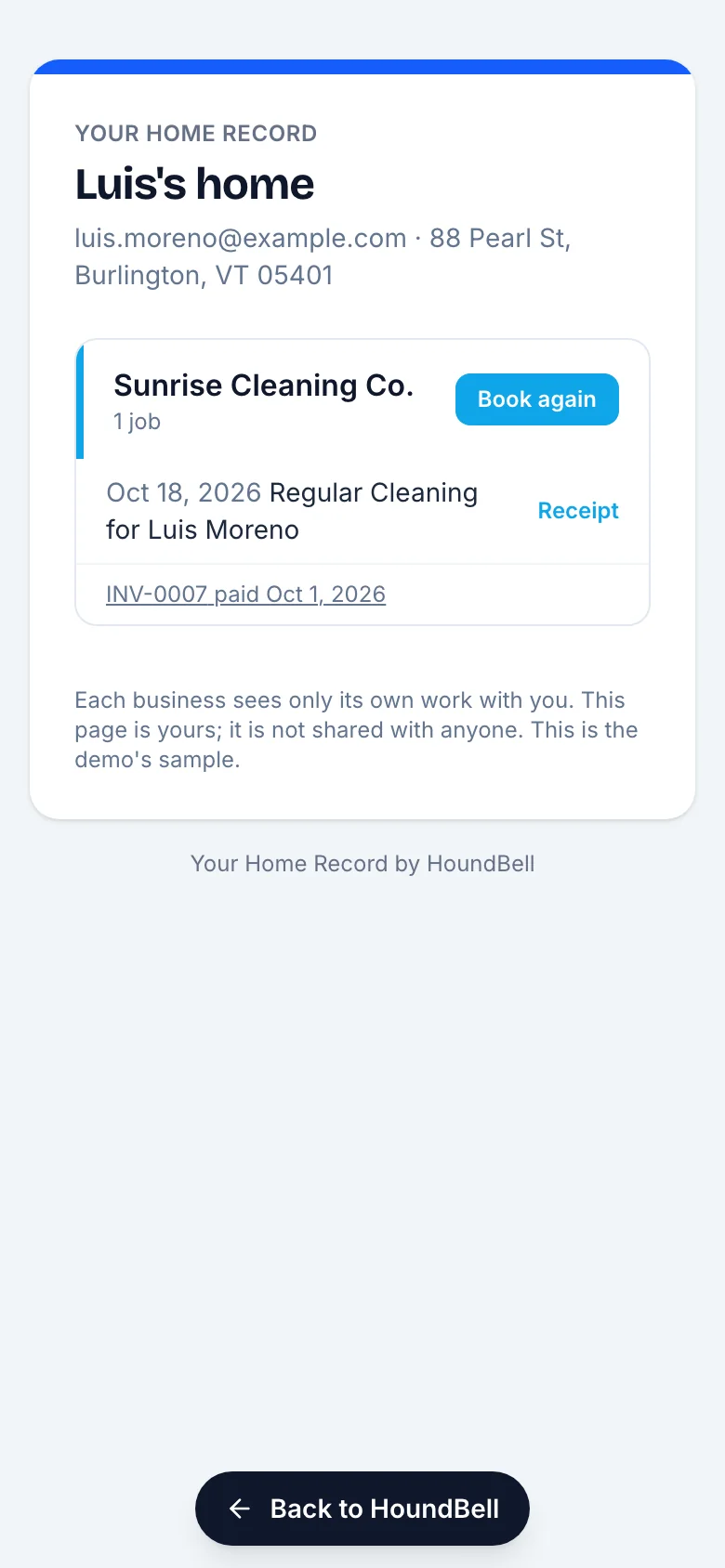
When you open a client page, a receipt or an invoice from the app, it opens in place with a Back to HoundBell bar along the bottom, so you are never stranded in a browser tab hunting for the way back.
Good to know
- You stay signed in. Open the icon and you are in your dashboard. No signing in every time.
- It is always up to date. New features appear the moment we release them. There is no app store update to wait for.
- It works for your whole team. Team members install it the same way, and they see the sections you have given them access to.
- Nothing to uninstall or manage. Removing the icon works like removing any app: press and hold, then remove. Your account and data are not affected.
Tip for busy days: the phone icon plus your new lead notification emails means you can go from “a lead just came in” to reading their request in under ten seconds, from anywhere. Speed wins deals.
Still stuck?
Email us and a person will answer. Include your workspace name, and the quote or invoice number if it is about one.
Email support@houndbell.com