
Text messages to your clients
HoundBell texts your clients alongside the emails it already sends, but only clients who ticked the text-message box on your form or booking page. Every text is short, starts with your business name, and ends with “Sent via HoundBell.”
Your own texting number: texting is included on Growth and Scale, and available on Starter as a $10/month add-on (Billing page → Business texting number). Then go to Settings → Text messages and click Get my texting number (enter a preferred area code if you like). That number is yours: your clients see texts from it, and it can answer calls too.
Booking texts: a confirmation when you approve a booking, a reminder about an hour before, a 15-minute heads-up, and a note when you reschedule. Each one greets the client by first name and gives the full date with the timezone.
Money texts: a text when you send a quote or an invoice, when the automatic follow-ups nudge an unanswered quote or unpaid invoice, and the review request after a job is paid.
Turn them on or off: Settings → Text messages has one switch for booking texts and one for money texts. The card shows how many texts went out this month.
A two-way conversation: when a client replies, you get an email and a push notification with their message and a link to their card, and the reply appears in the card’s Texts section as a conversation: their messages on the left, yours on the right, newest at the bottom, with day dividers. Automatic texts (confirmations, reminders, invoices) are labeled so you can tell them from ones you typed. The thread updates live while the card is open, so a reply lands in front of you without refreshing, and each of your texts shows Sent, then Delivered. Text them back right there: type in the box and press Enter (Shift+Enter for a new line). The quick-reply chips above the box (“On my way”, “Running late”, “Send a photo”, plus “Confirm visit”, “Quote link”, or “Invoice link” when there is one open) fill the box so you can add a word before sending. The counter shows how many texts your message will use. Your reply goes from your business number, signed “Sent via HoundBell,” and sends immediately even at night, since it is a live conversation. A text that could not be delivered shows in red with a Retry link; a text held for the morning shows “Scheduled for 7:00 AM” with a Send now link if you want it to go tonight. A held booking confirmation for a visit that has already happened by 7am is quietly dropped rather than sent late. Anyone with Leads access on your team can reply.
Photos: when a client texts you a photo (of the job, the leak, the yard), it appears right in the thread and in the Texts inbox; click it to open it full size. The push and email say “Sent a photo” so you know to look.
Unread badges: a client’s reply you have not seen yet shows a small blue count next to their name on the Leads page and on their pipeline card, and next to Texts in the sidebar (the number of clients waiting on you). Opening their thread, on the card or in the inbox, clears it for the whole team.
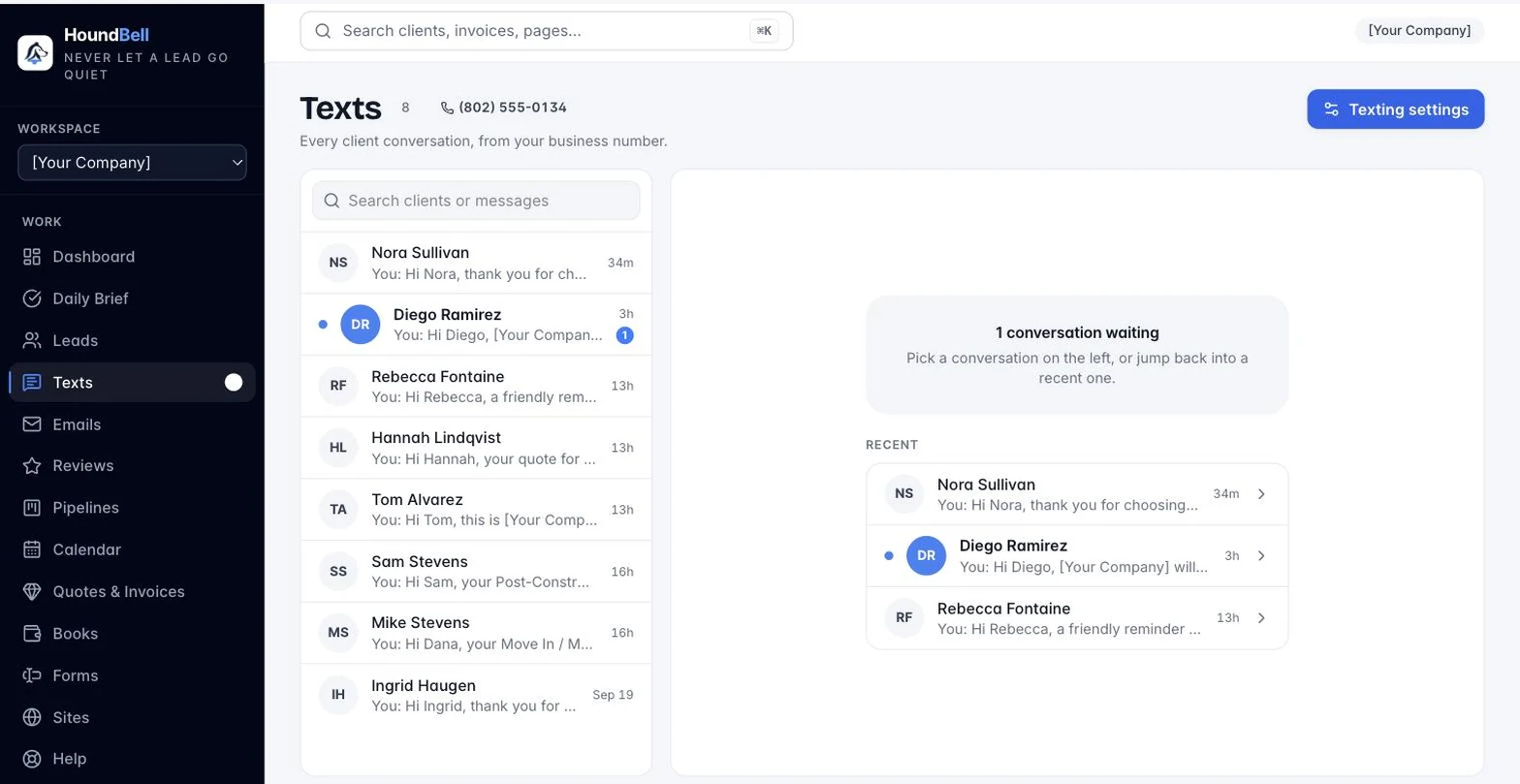
The Texts inbox (Texts in the sidebar): every client conversation for the business in one place, newest first, unread in bold with a blue avatar, a search box for names, numbers, and message text, and the full thread on the right with the same reply box and quick-reply chips as the card. “Open card” jumps to the client’s full record. On a phone it works like a messaging app: the list, then the thread, with a back arrow.
Opting out: a client who replies STOP is never texted again (their card shows “Opted out” and the reply box disappears); START re-subscribes them.
Good to know: texts only go out between 7am and 9pm in your timezone, a client who never ticked the box is never texted, and each client’s card has a Texts section holding the whole conversation (older texts load on request).
Replies reach the right place. A client’s text back lands on their card and, when the job is today or tomorrow, on the crew’s pass and phone too, as a “Grace says” line. Texts and emails name the job the way the client thinks of it, your Deep clean, 3 bed 2 bath, never a record number. And when a person on your team types a text by hand, the thread shows “Sent by Mark” above it, so the office always knows which sends were human. Clients never see that line.
The Crew tab: notes the crew writes to the office land here, tagged with the job, and a part request carries a Part chip so it is easy to spot. See Notes and parts from the job.
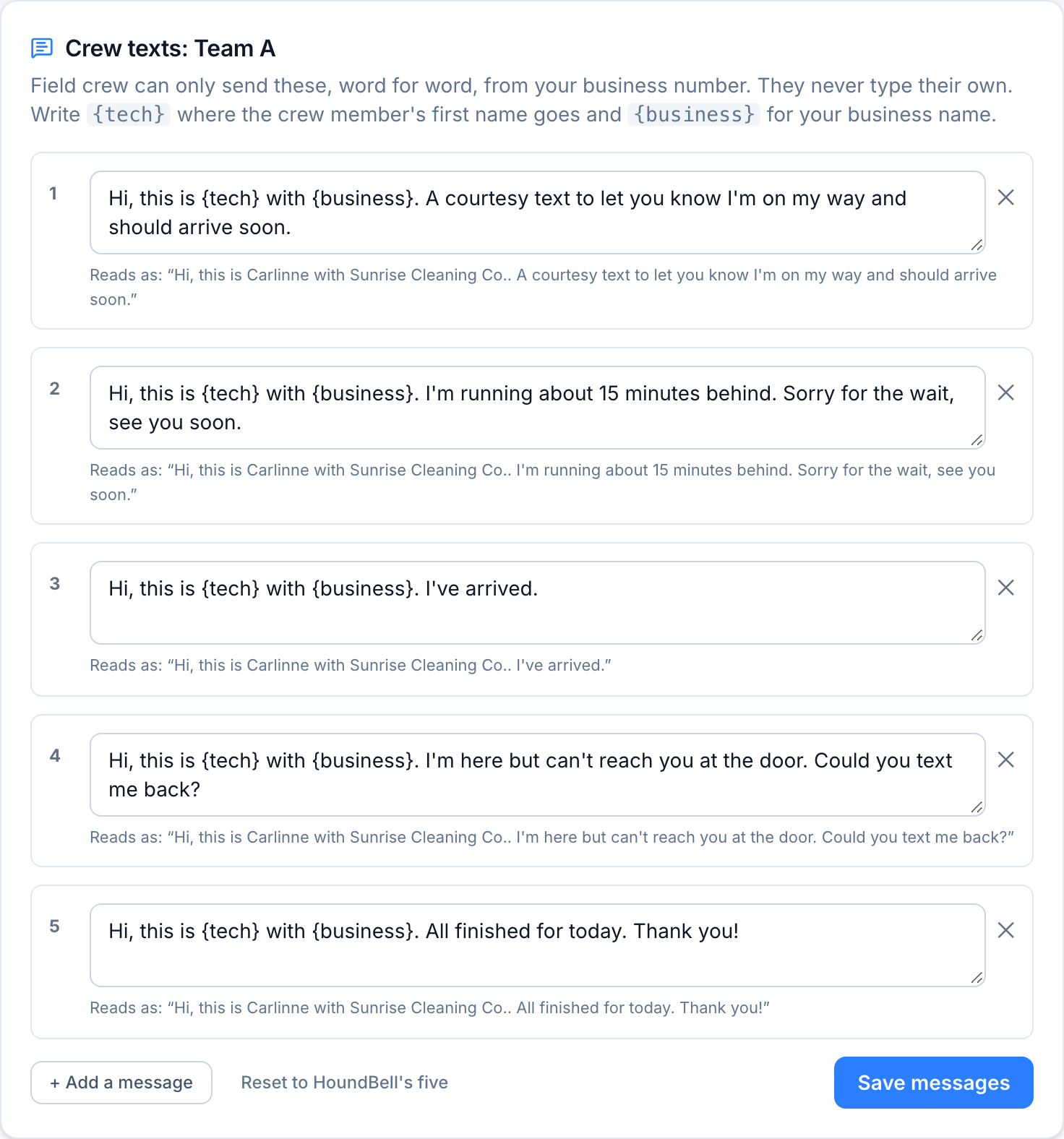
Canned lists per crew: each crew on the Team page can carry its own canned texts under Settings, Team texts. A crew without one uses the business list, and the pass picks the crew member’s own crew’s list.
Still stuck?
Email us and a person will answer. Include your workspace name, and the quote or invoice number if it is about one.
Email support@houndbell.com