
Your price book: load it once, quote from it
The price book is your master price list, separate from the services on your booking page. Load it once and every quote, invoice and agreement can pull priced lines from a searchable picker.
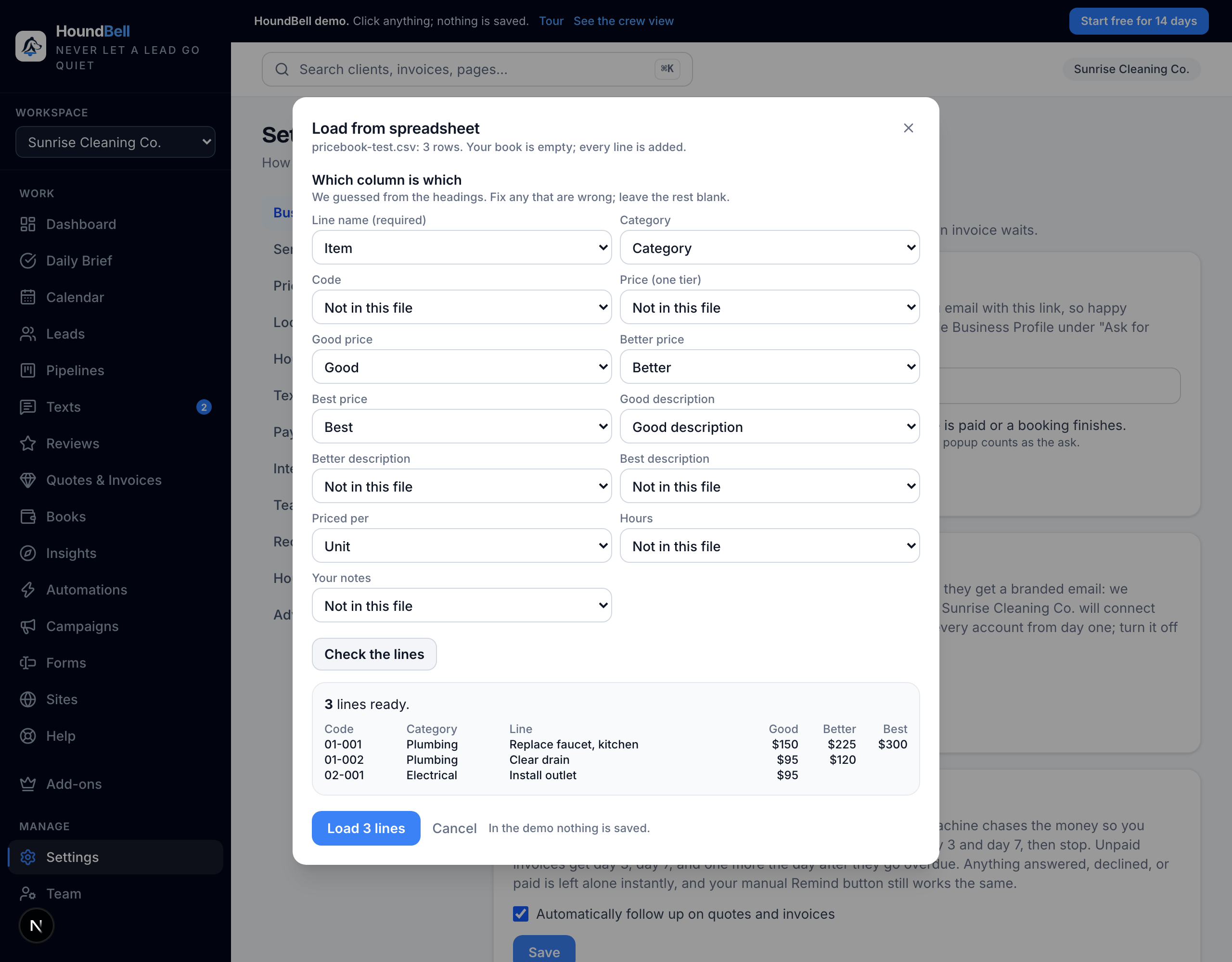
- Go to Settings and find the Price book section. Add lines by hand, in categories, with a Good, Better and Best price per line where you want tiers.
- Or press Load from spreadsheet. It takes csv and xlsx, matches your columns, shows a preview, and merges by code so a re-import updates prices in place. A switch can turn off lines missing from the new file.
- Every field is editable afterward: names, codes, categories, each tier’s price and description. Owners can delete lines.
- On a quote, invoice or agreement, press Add from your price book, search by name, code or category, and tap a tier chip to drop that line in. Size variants fold under their base line.
The picker only appears once a business has a price book, so nothing changes if you never load one. On a Good, Better, Best quote, the All three chip fills all three tabs from an item’s tiers in one tap.
Still stuck?
Email us and a person will answer. Include your workspace name, and the quote or invoice number if it is about one.
Email support@houndbell.com