
Autopay for recurring invoices
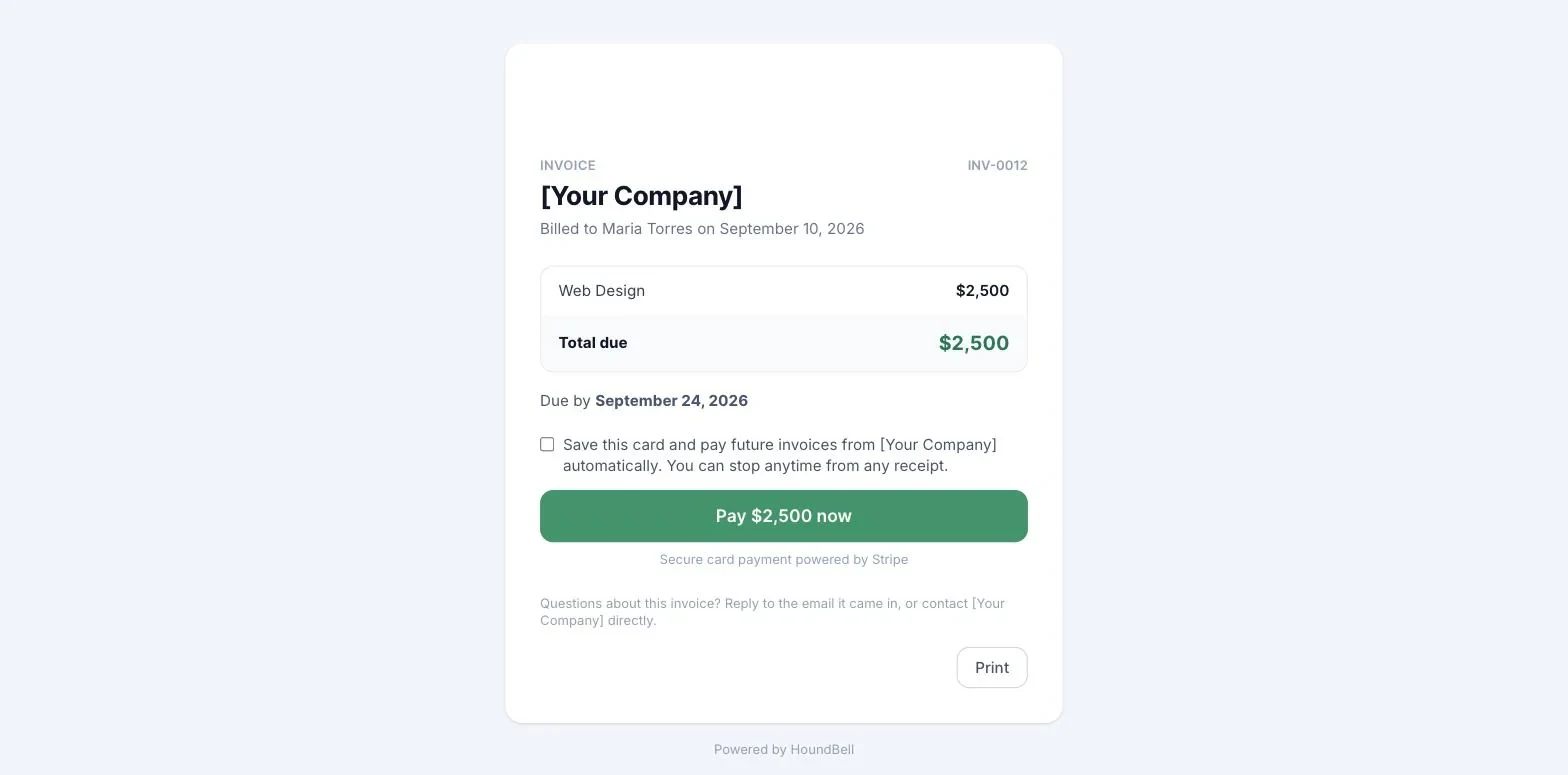
When a client pays a recurring invoice by card, the pay page offers a checkbox: “Save this card and pay future invoices from [your business] automatically.” If they tick it, Stripe keeps the card on your connected account (HoundBell never sees the number) and the client gets an “Autopay is on” email showing the card’s last four digits.
From then on, each time HoundBell generates the next invoice in the series, it charges that card the same morning, marks the invoice paid, and sends the client a “Paid automatically” receipt. You get the usual “You got paid” alert. The client is not sent a Pay now email for autopaid invoices.
Stopping it. Every autopay email carries a “Stop autopay” link; one click turns it off and future invoices arrive with a Pay now link as before. You can also turn it off from the client’s card in HoundBell, where a “Card on file” line shows the brand, last four, and a Turn off button.
If a charge fails. HoundBell sends the client the normal invoice with a Pay now link and emails you the reason. Ordinary declines (insufficient funds, expired card) keep autopay on for the next cycle. If the bank requires the client to re-authenticate, or the card is gone, autopay is switched off and you are told, so the client can save a new card on their next payment.
Autopay is offered only on recurring invoices and only when your Stripe account is connected.
Still stuck?
Email us and a person will answer. Include your workspace name, and the quote or invoice number if it is about one.
Email support@houndbell.com