
Cash or check discount
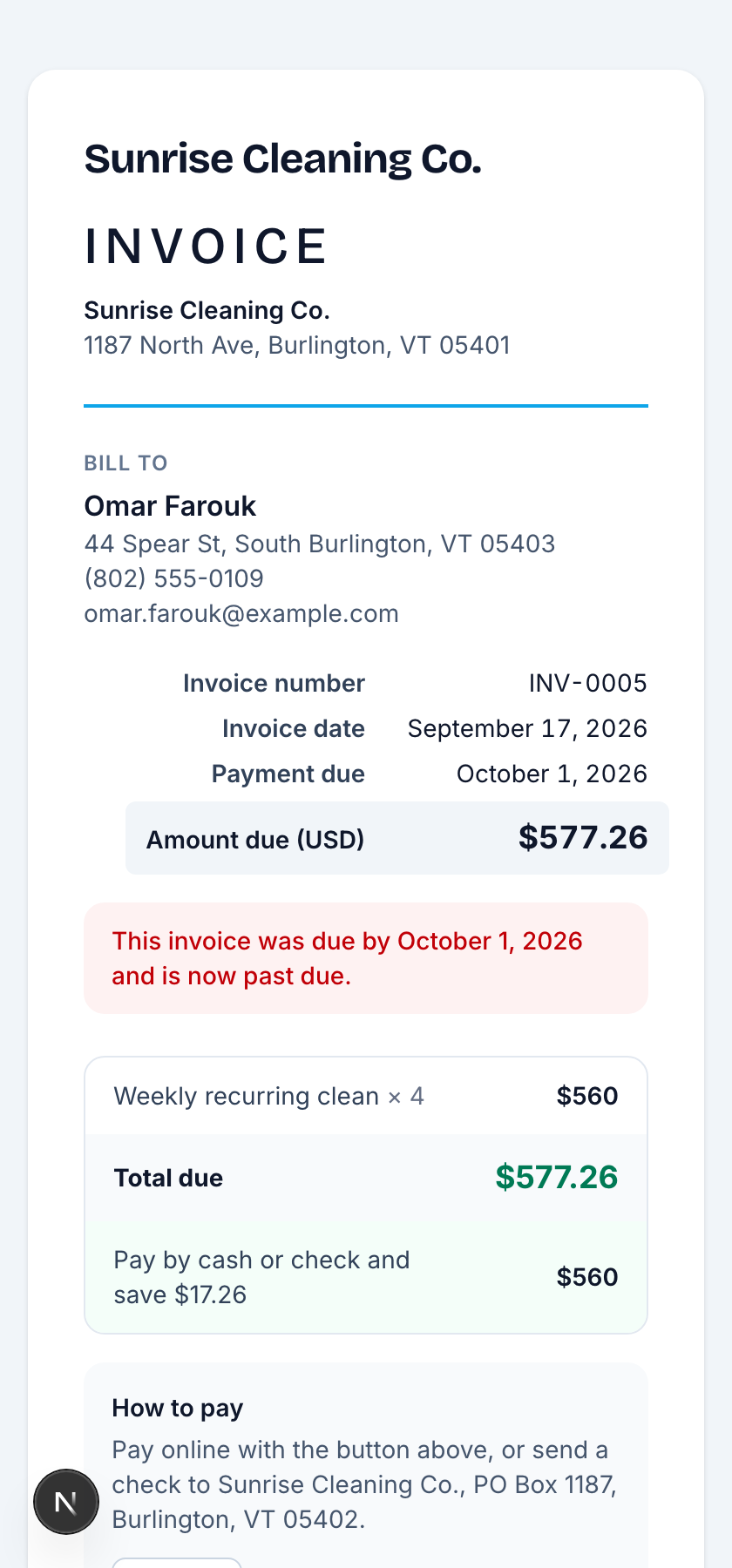
Card processing costs money. A card surcharge is banned in some states, Massachusetts among them, but a cash discount is legal everywhere: the invoice total is the card price, and paying by cash or check costs less.
- Go to Settings, Payments and turn on Cash or check discount.
- Set the processing rate (2.99% by default) and an optional fixed part.
- Send invoices as usual. Line items stay at your cash price; the invoice total is the card price, with “Pay by cash or check and save $X” under it, on the page, the email and the text.
Example: $1,030.82 by card or $1,000 by cash or check. A card payment charges the card price; a recorded cash or check payment settles at the cash price. Autopay with a saved card charges the cash price, noted on the card.
The fee freezes when an invoice is sent or first charged, so changing the setting later never moves an invoice already out. Quotes are unchanged.
Still stuck?
Email us and a person will answer. Include your workspace name, and the quote or invoice number if it is about one.
Email support@houndbell.com