
Create an invoice
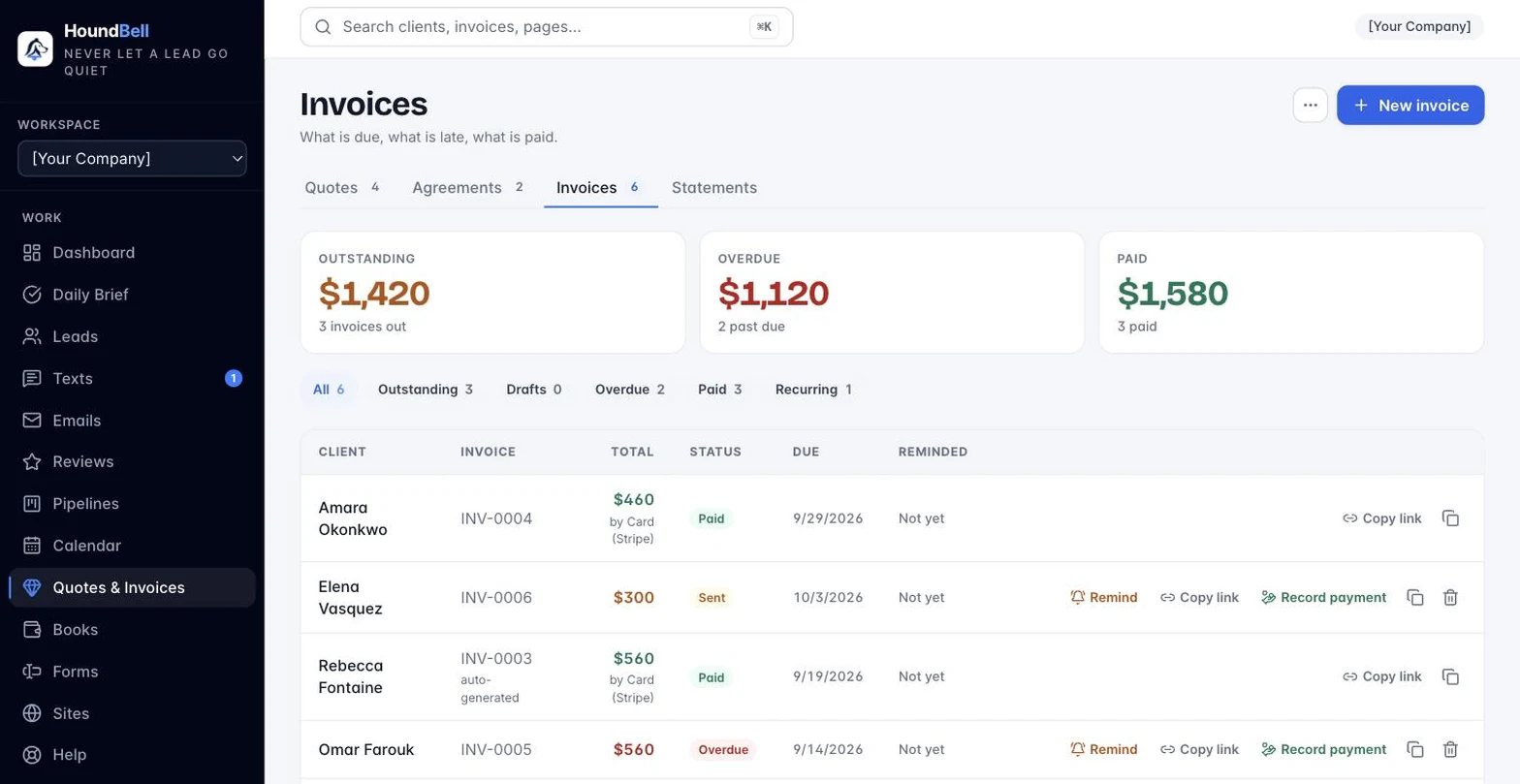
Start from any of these places:
- Quotes & Invoices page, Invoices tab: click + New invoice and pick the client.
- Any lead’s card: + New invoice in its Invoices section.
- An accepted quote: click Invoice on its row (fastest, see next article).
The invoice builder:
- Line items: work, quantity, price, same as quotes.
- Invoice type: One-time, or Recurring (see Recurring invoices).
- How to pay: instructions shown on the invoice (Zelle, check, cash on completion, whatever you accept). Set a default once on the Settings page. With Stripe connected, the invoice also gets a Pay now button for card payments.
- Notes for the client: optional.
- Due date: defaults to 14 days out.
- Send invoice emails it now; Save draft keeps it private.
Invoices number themselves automatically: INV-0001, INV-0002, and so on.
Still stuck?
Email us and a person will answer. Include your workspace name, and the quote or invoice number if it is about one.
Email support@houndbell.com