
Recurring visits
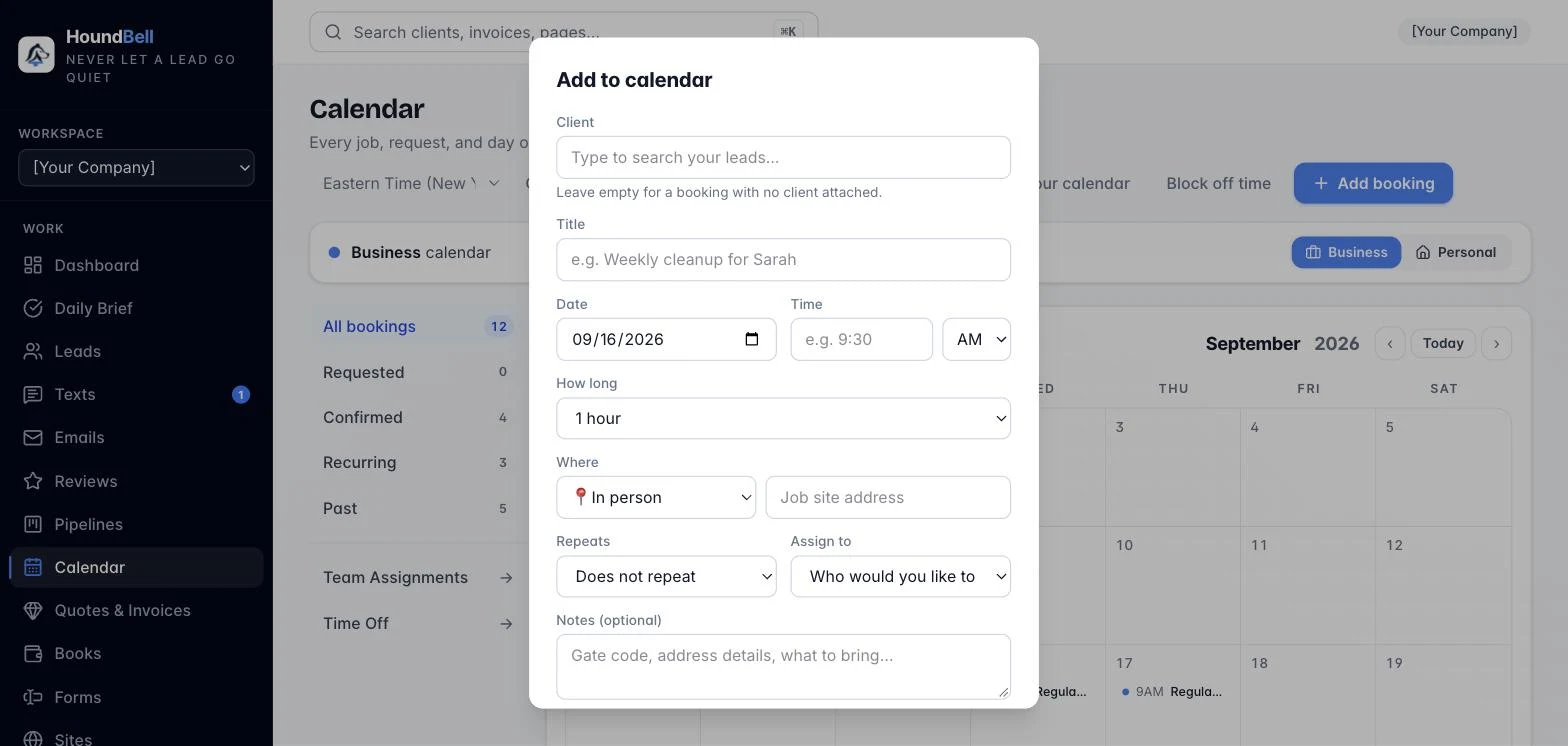
For jobs on a rhythm (a weekly cleaning, a monthly maintenance visit), set Repeats to Weekly, Every two weeks, or Monthly when you create the booking.
From then on the calendar rolls each visit forward automatically: when one visit finishes, the next one is already on the schedule, and reminders re-arm for every occurrence. A calendar you have synced to Google or Apple sees a true repeating event, not a pile of copies.
- Open Calendar → + Add booking (or confirm a website request).
- Set Repeats to the rhythm you want.
- Save. The Recurring filter on the Calendar page lists every repeating visit.
Finished appointments move to the Past tab automatically, newest first, so you always have a service history for the client. Removing a past booking asks why, and the reason is saved to the client’s notes.
Tip: on your pipeline, you can mark a stage as a scheduling stage. Dragging a lead onto it opens the booking window, prefilled with that client.
Still stuck?
Email us and a person will answer. Include your workspace name, and the quote or invoice number if it is about one.
Email support@houndbell.com