
Order your route
On the calendar’s day view (and the phone agenda), the Order the route action sorts that day’s jobs by address so the crew drives the shortest sensible path between them — nearest stop next, all the way down the list.
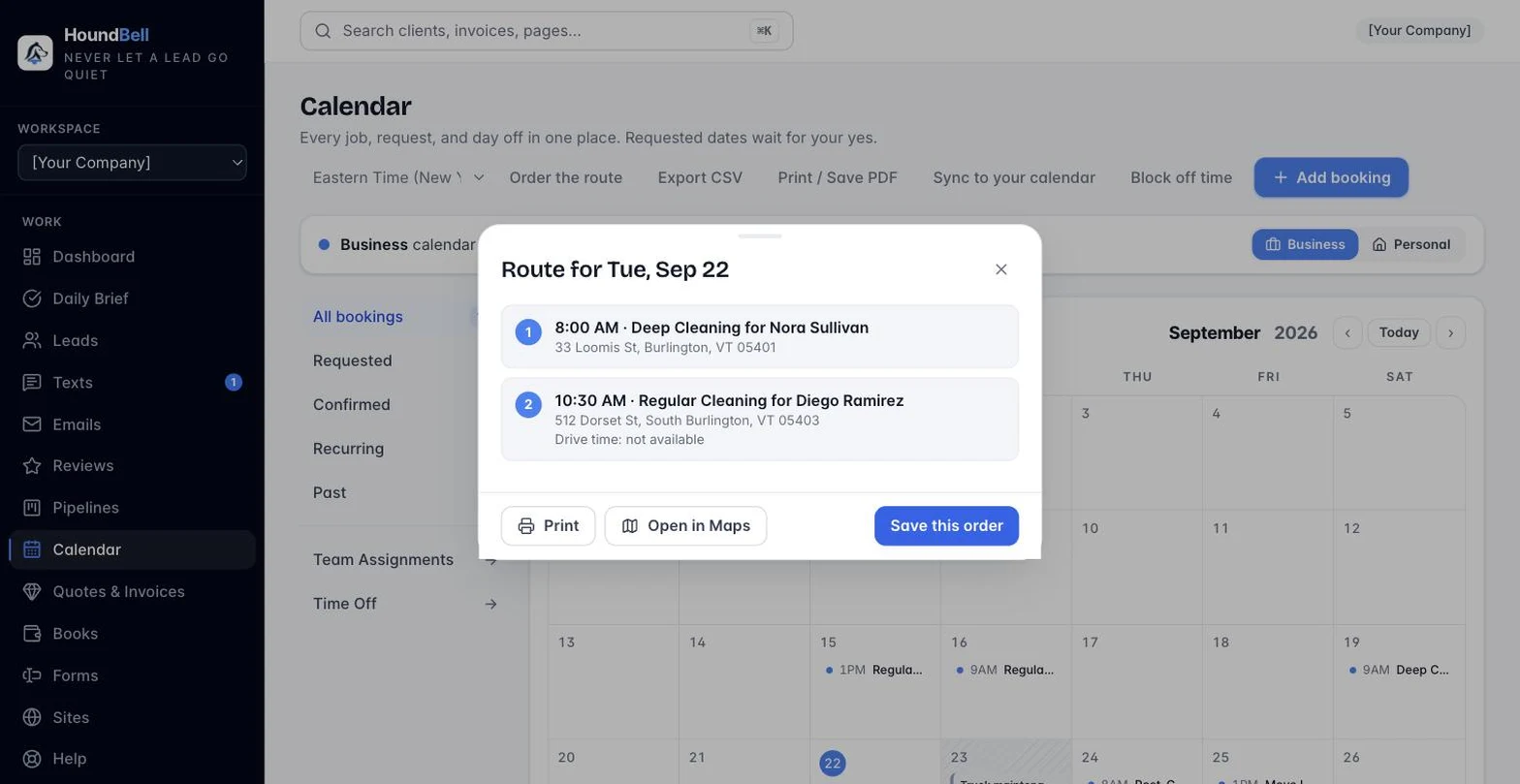
What you get:
- Stop numbers on every job for that day, in driving order.
- A drive-time estimate between each stop, labeled “about“ — it’s a straight-line estimate at a flat 30 mph, not a live traffic-aware route, so treat it as a rough guide.
- Print the ordered list for a crew that prefers paper.
- Open in Maps builds a multi-stop link for Apple Maps or Google Maps, whichever your phone uses.
Addresses are looked up once and cached, so re-ordering the same day later is instant. A job with no address on file (or one HoundBell couldn’t find) still shows up in the list — it just says so, instead of disappearing. The crew’s own Today list in the field app follows this same order once you’ve set it for the day.
Still stuck?
Email us and a person will answer. Include your workspace name, and the quote or invoice number if it is about one.
Email support@houndbell.com