
Show a price before they book
Cleaning companies lose the 11pm booking when the page says “we’ll get back to you.” Turn on the price and the page adds it up for them.
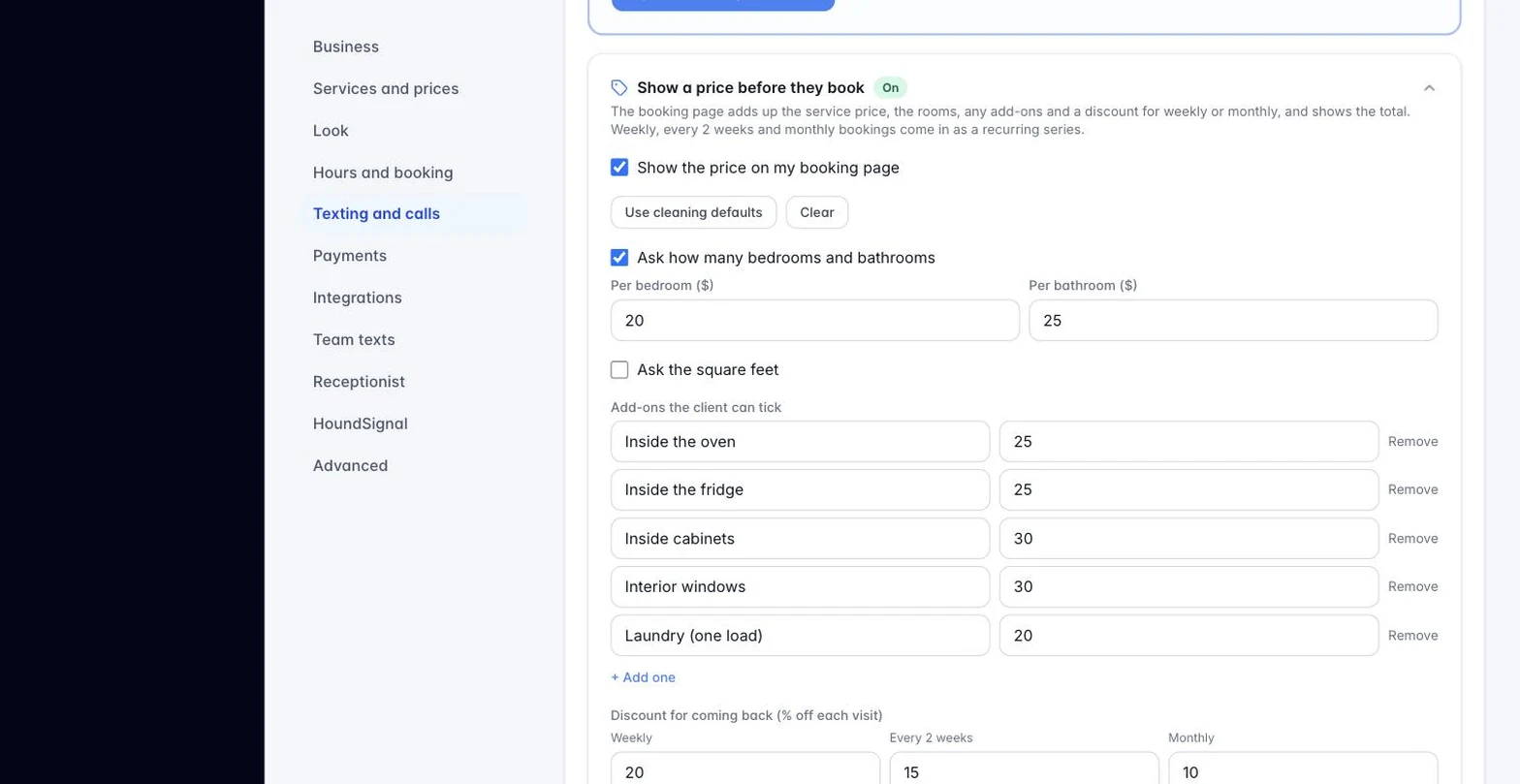
- Go to Settings, Hours and booking, and open “Show a price before they book.”
- Tick “Show the price on my booking page.” Press “Use cleaning defaults” if you clean homes, then change any number.
- Per bedroom and per bathroom are added on top of the service’s price from your price book. Square feet is optional: so much for each 500 over 1,000.
- Add-ons are the extras a client can tick, like inside the oven. Each has its own price.
- The discount row is the percent off for weekly, every 2 weeks and monthly. A client who picks one of those comes in as a recurring series on your calendar.
- Zip codes: leave blank to take everyone. With a list, the page asks for the zip and says “we don’t serve that zip code yet” when it is not on it.
- Promo codes: a code and a percent or dollars off.
- “Never less than” is your minimum visit.
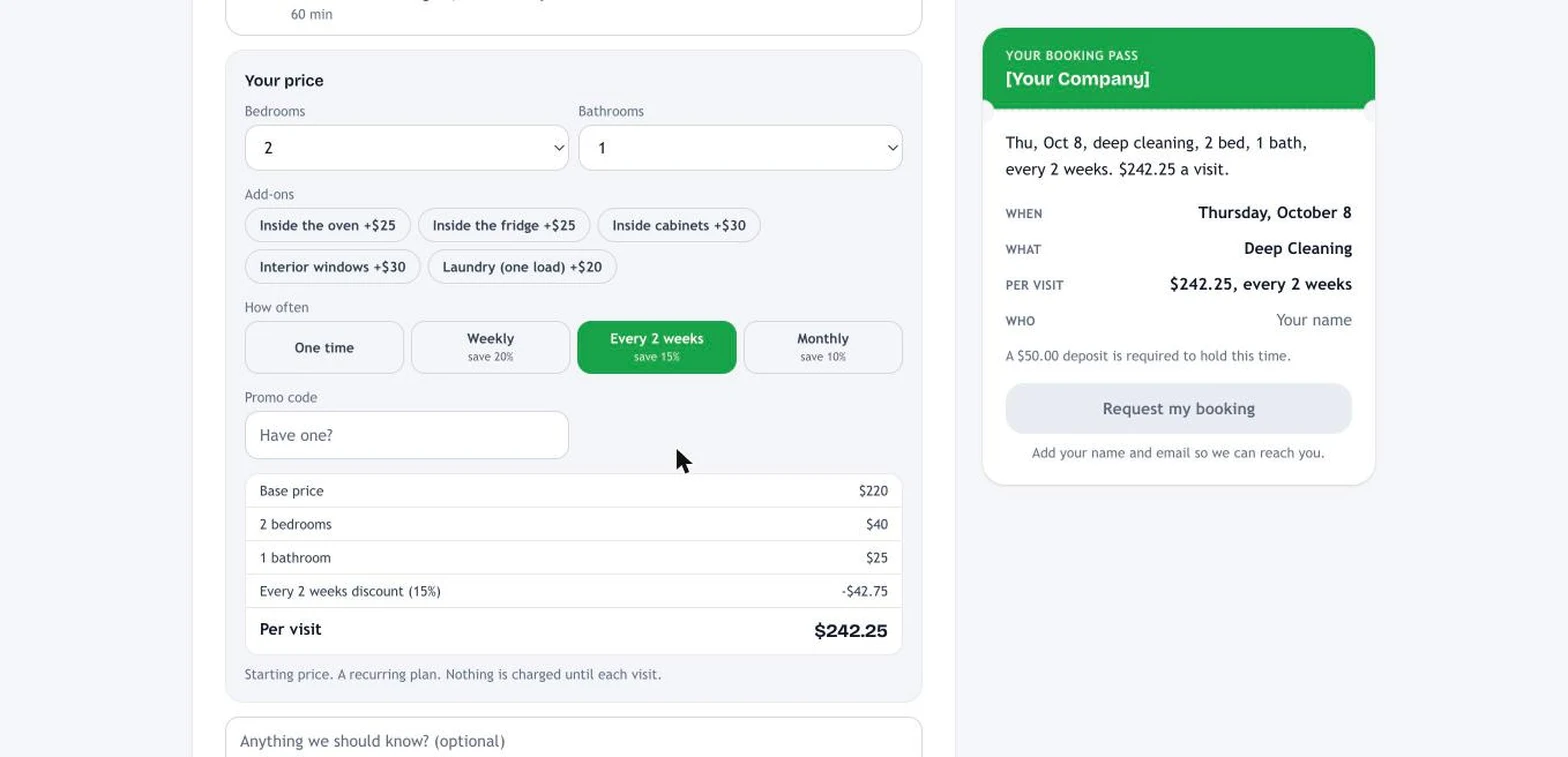
What the client sees: after picking a service, a “Your price” box with bedrooms, bathrooms, add-ons, how often, and the total. Services priced “quote” or hourly say “We’ll send a quote for this one.” The booking request shows the price in your email and on the booking, and a percent deposit uses it.
Still stuck?
Email us and a person will answer. Include your workspace name, and the quote or invoice number if it is about one.
Email support@houndbell.com