
Teams, crews, and time off
Teams and crews
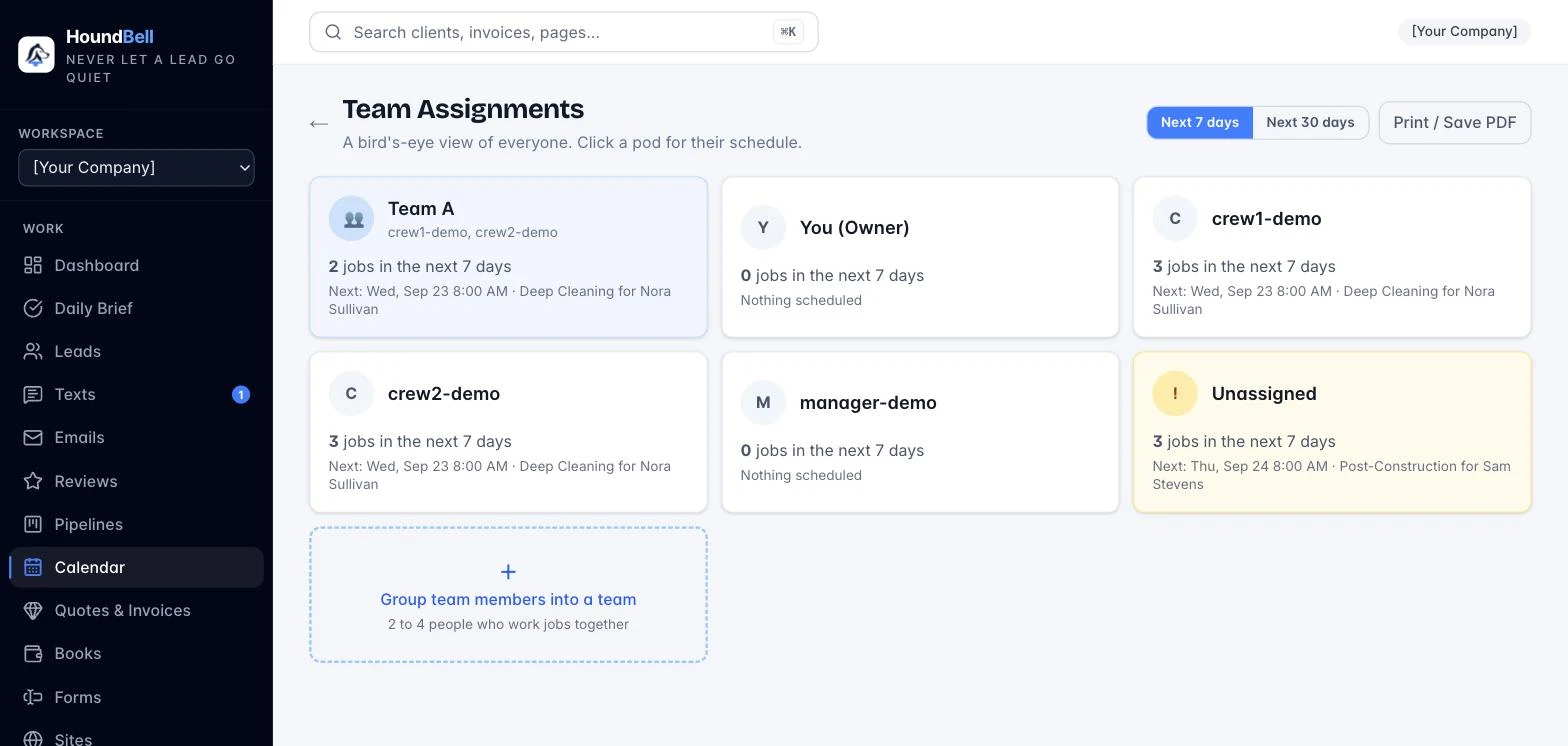
Group two to four people into a named team, then assign a booking to the whole crew at once instead of one person at a time. The Team Assignments board shows a pod for every person and every team with their upcoming workload, and prints a clean day-by-person crew sheet for the morning.
Block off time
Vacations, sick days, appointments: press Block off time on the Calendar page and pick date ranges (a plus button adds more rows, so several periods save in one go), all day or specific hours, spanning days continuously if needed, for the whole business or one person.
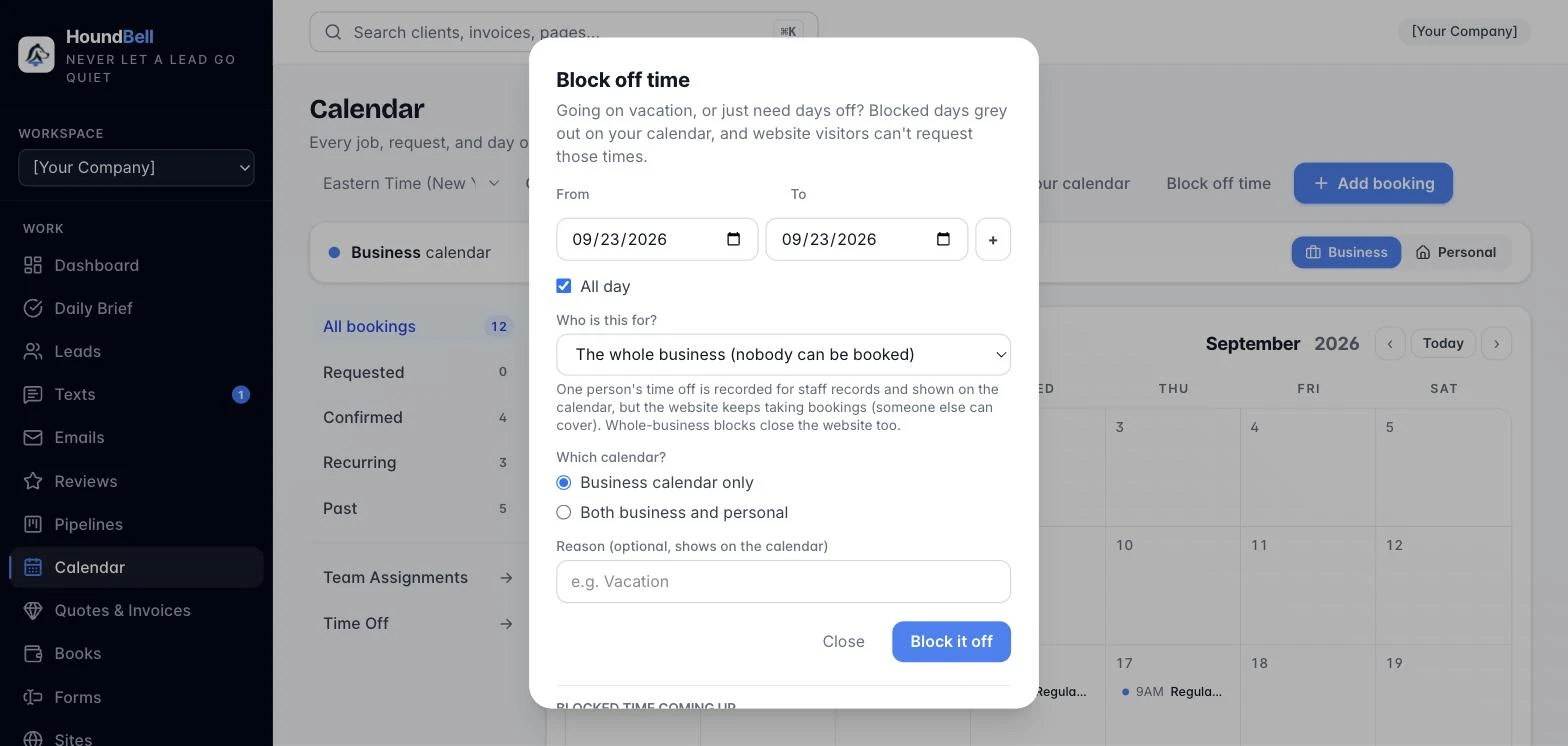
Whole-business blocks also close those dates on your website booking picker.
Time Off records
Every blocked-off period is kept permanently under Time Off. Filter by person and date range, see totals, print a staff sheet, or export to CSV, so when someone asks how much time they took this year, the answer is one filter away.
Assigning a job to a crew member. Pick the person or crew on the booking and the job appears in their field crew login: the client, one-tap directions, notes, your canned texts, and a Done button on the day of the job. Crew logins are free and never count as a seat.
Per-crew texts and languages
Each crew can carry its own canned text list under Settings, Team texts; a crew without one uses the business list. Each member’s Team row also sets their pass language, English, Spanish, or Portuguese; the pass, the mic, and the morning job text follow it. See The crew pass in Spanish and Portuguese.
Still stuck?
Email us and a person will answer. Include your workspace name, and the quote or invoice number if it is about one.
Email support@houndbell.com