
Sync your calendar to Google and Apple
HoundBell keeps two calendars: Business and Personal, with a banner that always says which one you are viewing. Your personal calendar is yours alone; teammates never see it.
- On the Calendar page, press Sync to your calendar.
- Copy the private link for the calendar you want (each of the two calendars has its own link).
- Subscribe to it in Google Calendar or Apple Calendar. Confirmed bookings then appear on your phone automatically, and recurring visits show as true repeating events.
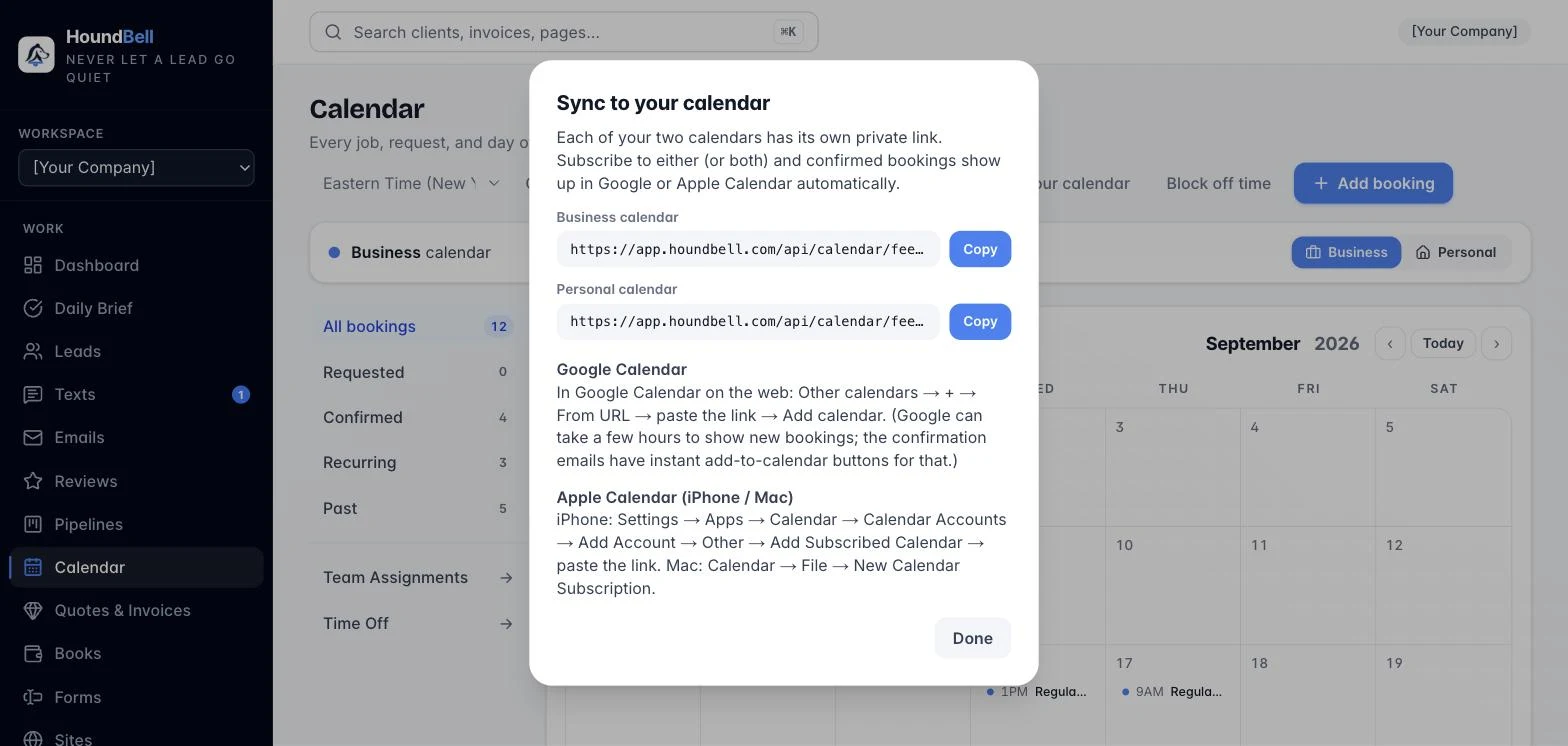
The link is private: anyone who has it can read that calendar, so treat it like a password. Your time zone (set in Settings → Booking hours) applies everywhere, so your hours, website slots, and reminders all agree on what 9:00 AM means.
Any calendar view also becomes a clean printed schedule with Print / Save PDF, or a spreadsheet with Export CSV.
Google users: there is now a better way. The subscribe link below still works, but two-way Google Calendar sync connects once from Settings, Integrations: your jobs land on Google, Google events block your booking page, and moves in either place follow. The subscribe link stays the right tool for Apple Calendar, which is one way by design.
Still stuck?
Email us and a person will answer. Include your workspace name, and the quote or invoice number if it is about one.
Email support@houndbell.com