
Booking hours by day, with breaks
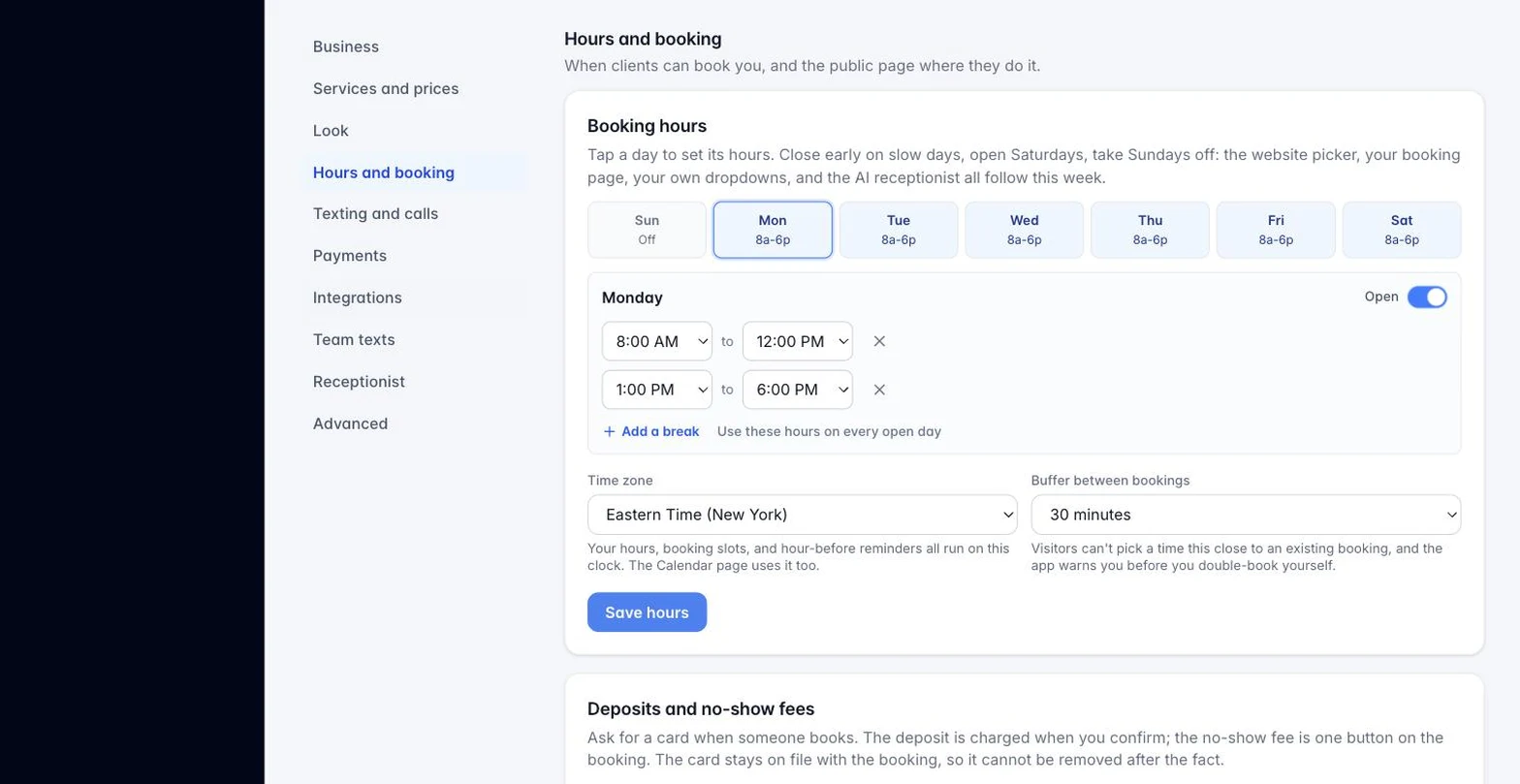
Settings → Booking hours is a table with one row per weekday. Switch a day off to close it. Each open day has its own opening and closing time, so Friday can close at 3 while Monday runs to 7. Click Add a break on a day to split it into two windows, for example 11:00 AM to 2:00 PM and 5:00 PM to 10:00 PM: nothing between the windows can be booked. Save hours, and every place clients pick a time follows the table the same minute: your website form’s calendar, your booking page, the dropdowns inside the app, and the AI receptionist.
Still stuck?
Email us and a person will answer. Include your workspace name, and the quote or invoice number if it is about one.
Email support@houndbell.com