
Deposits and no-show fees
Turn on a deposit or a no-show fee and your hosted booking page asks for a card when someone requests an appointment — before you’ve confirmed anything, before any money moves.
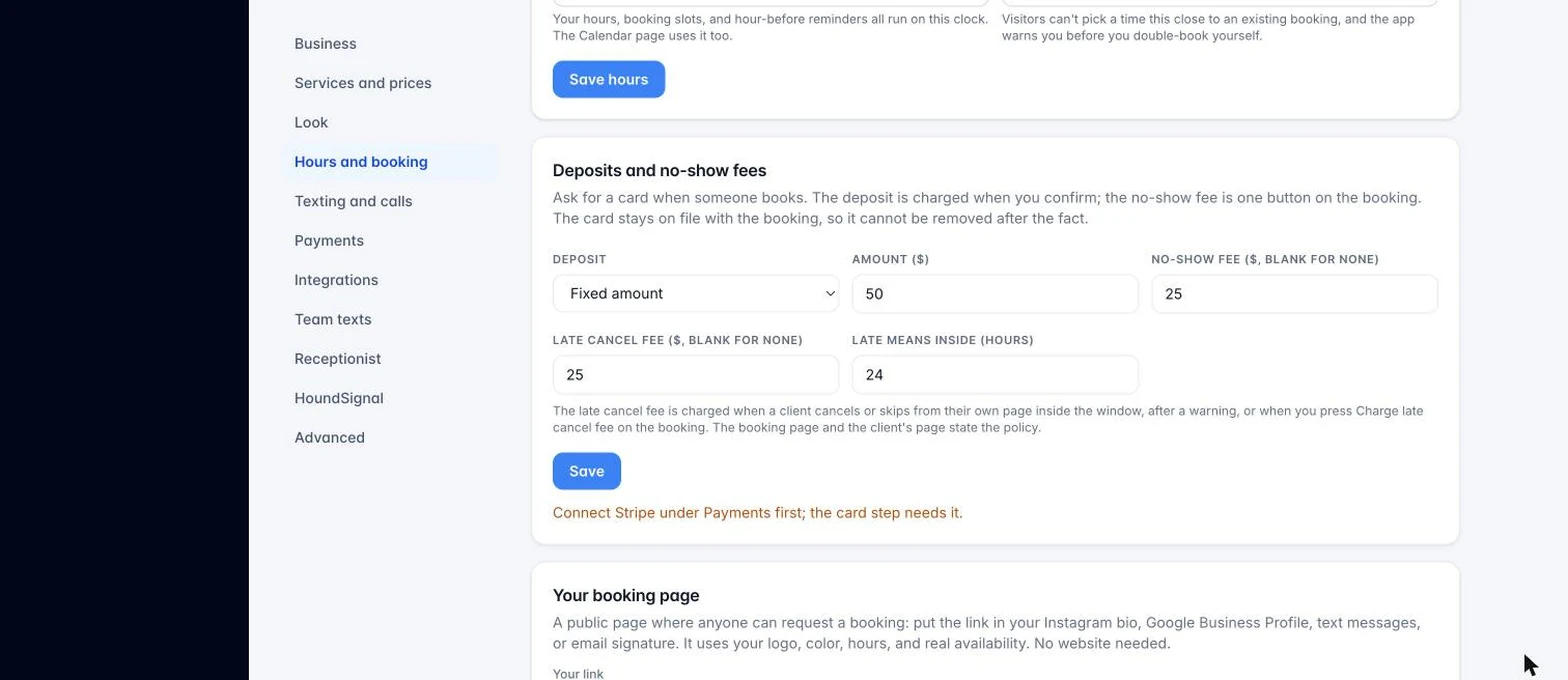
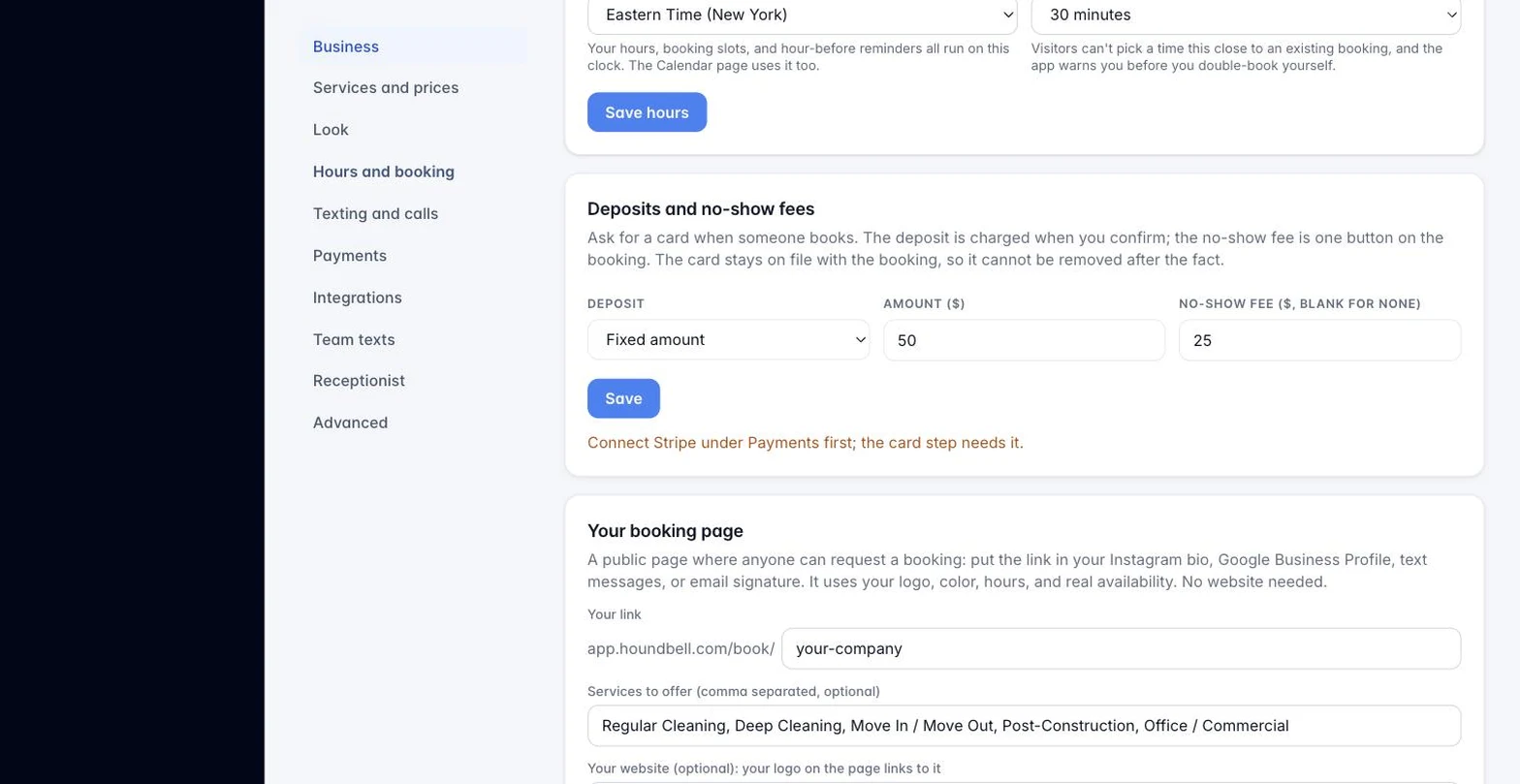
- How it works: the visitor adds a card, which is held (not charged) against their request. You get the same booking request as always. When you confirm it, the deposit is automatically charged and shows up as a paid invoice on the client’s record.
- No-show fee: if the client doesn’t show, open that booking and click Charge no-show fee. It bills the same card on file and records the charge the same way a deposit does.
- No client account, on purpose: there’s nothing for the client to log into, which also means there’s nothing for them to go remove the card from later. The hold stays until you act on it.
- Set it up: fixed dollar amount, or a percentage, plus an optional flat no-show fee. Until Stripe is connected for the business, the booking page shows the deposit information but never asks for a card — it simply lets you know one will be collected another way.
This applies to any service business taking bookings through HoundBell, not only cleaning or lawn care — a deposit for a landscaping estimate, a pest-control visit, or a handyman job all work the same way. —
Internal note for Michael (not for publishing): screenshots referenced above are in the images folder, captured 8-27-2026 from the live app (Mike – BAO workspace, personal email masked to client@example.com, admin-only Users link hidden). When features change, recapture and update the matching article. The client quote screenshot shows the accepted state; the client invoice screenshot shows an unpaid invoice with the Pay now button.
Still stuck?
Email us and a person will answer. Include your workspace name, and the quote or invoice number if it is about one.
Email support@houndbell.com